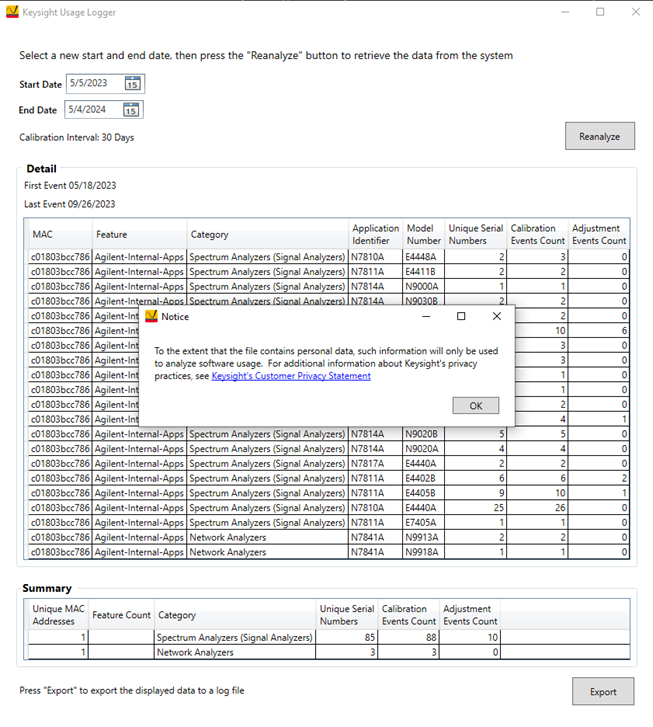
The Analyze Usage Logger Tool is used to collect data about the DUT models that have been calibrated and adjusted along with the TME calibration application within a defined time period. This data can assist the customer or a service center in various ways.
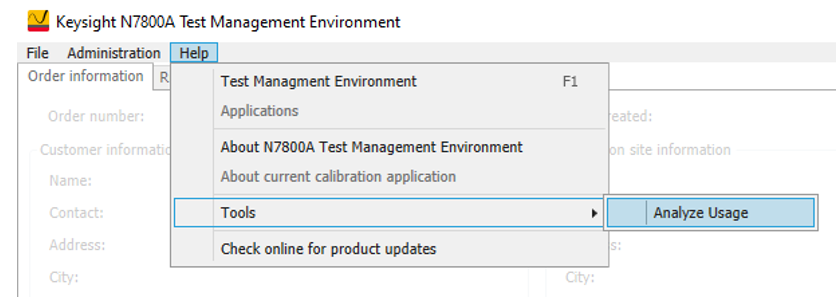
The tool is found in the Help menu: Help > Tools > Analyze Usage.
When the tool is launched, the operator will select the start and end dates and then press Analyze.
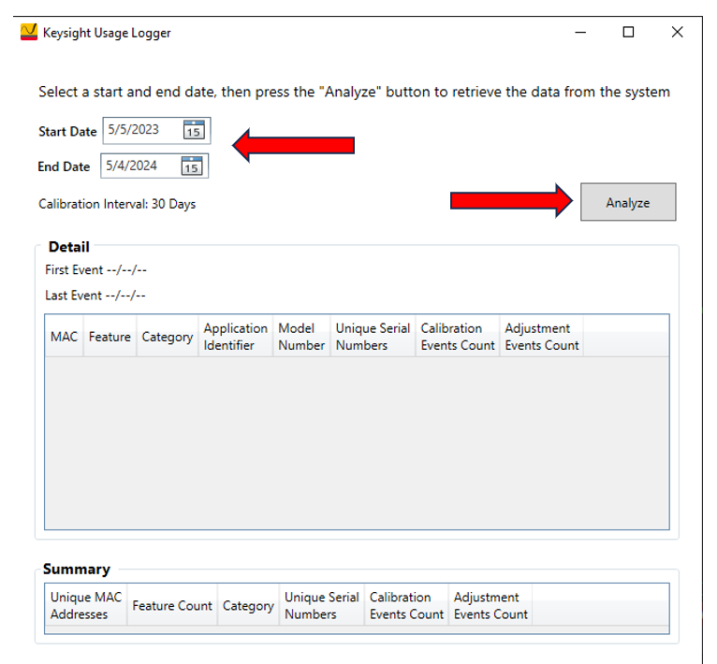
The tool will analyze the TME database to determine the number of calibration and adjustment events that occurred within 30-day intervals for the identified start and end dates. The dates can be adjusted as desired.
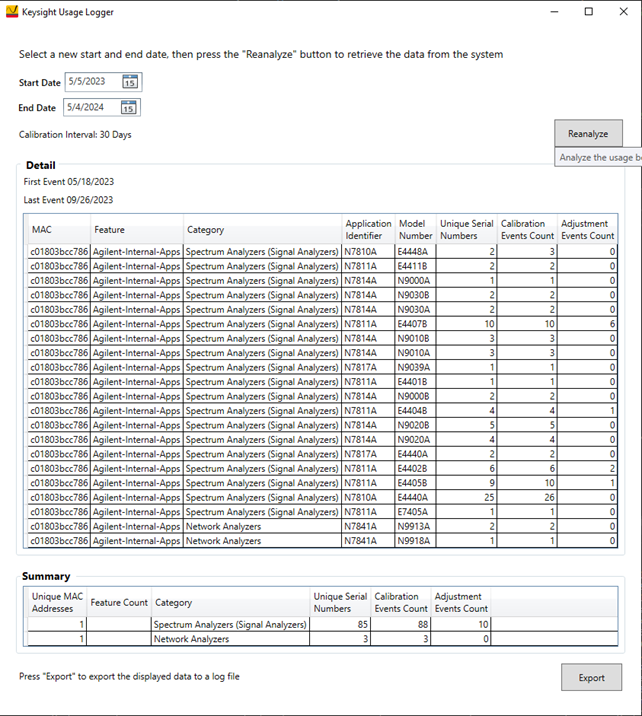
To save the data to a file, press Export. Next, press OK in the Notice dialog. The operator will be prompted for the filename and desired location of where to save the file.