Removing ETE from TME Database

This section explains the process of removing ETE from the TME database. This may be necessary if, for example, the ETE was entered into the database with the incorrect serial number format.

  1. From the Administration drop-down menu, select Configure Test Stations.

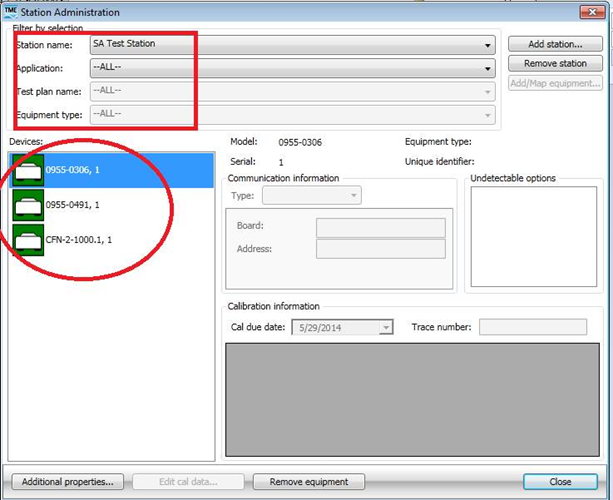
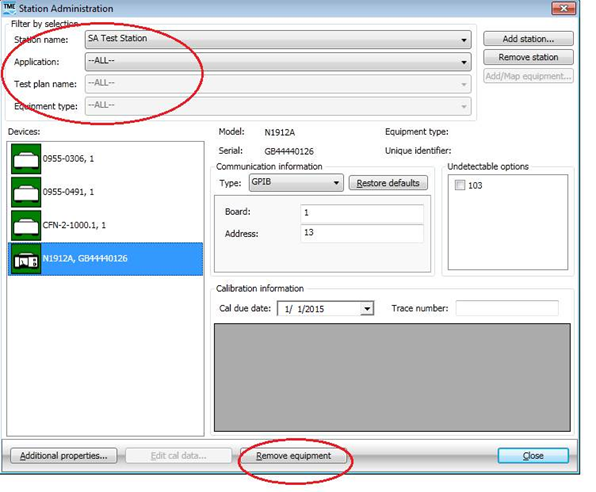
  2. Select the ETE to be removed from the Devices list on the left of the window.

  3. From the Station name drop-down menu, select the station name which has the ETE to be removed.

  4. Set the next three drop-down menus to --ALL-- :

    • Application:
    • Test plan name:
    • Equipment type:

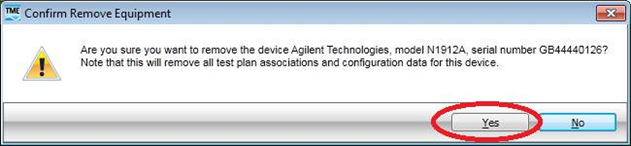
  1. Click on the Remove equipment button on the bottom, and click Yes in confirmation screen.

  2. Verify that the ETE has been removed from the TME database by reviewing the Devices list on the left of the screen. Repeat the above steps if the ETE exists in other TME stations.