Getting Started: the 6GR_FR1_40MHz Demo
The 6GR_FR1_40MHz demo provides a recorded 6GR signal, a matching measurement setup, and a KSD signal-definition file — everything needed to make a first 6GR Modulation Analysis measurement and to try the signal-definition import workflow.
Signal Description
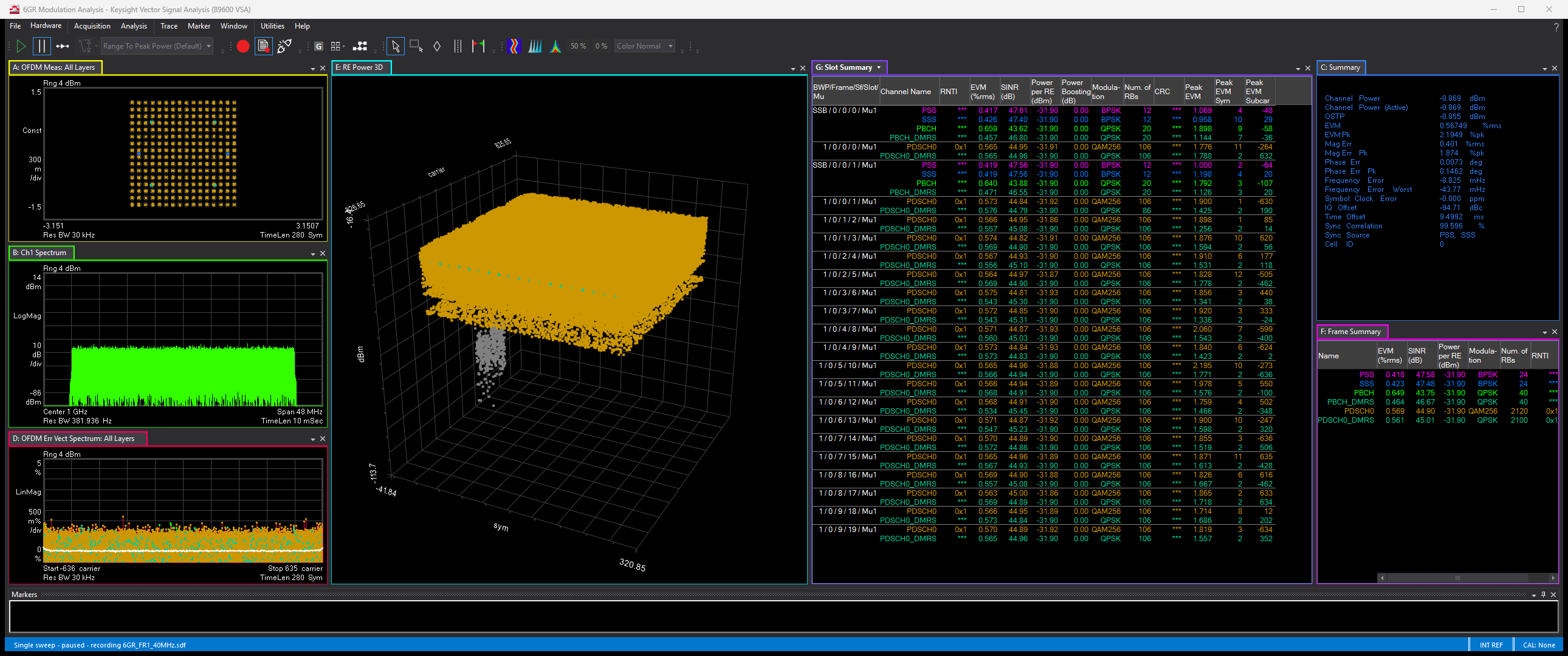
The demo signal is a single 3GPP 6GR downlink component carrier generated by PathWave Signal Generation (PWSG), starting from PWSG's default 6GR configuration in FR1 with a 40 MHz Megahertz: A unit of frequency equal to one million hertz or cycles per second. channel bandwidth (106 resource blocks, 30 kHz kiloHertz: A radio frequency measurement (one kilohertz = one thousand cycles per second). subcarrier spacing). The signal contains PDCCH (QPSK Quadrature phase shift keying) and PDSCH Physical Downlink Shared Channel (256-QAM Quadrature Amplitude Modulation), spans 3 frames (10 subframes, 30 ms), and has AWGN Additive White Gaussian Noise - Statistically random radio noise characterized by a wide frequency range with regards to a signal in a communications channel. added at C/N See carrier-to-noise ratio. = 45 dB, so it reads as a realistic capture rather than a pristine ideal waveform.
Demo Setup
The measurement setup is configured for continuous sweep with a representative set of trace windows: OFDM Orthogonal Frequency Division Multiplexing: OFDM employs multiple overlapping radio frequency carriers, each operating at a carefully chosen frequency that is Orthogonal to the others, to produce a transmission scheme that supports higher bit rates due to parallel channel operation. OFDM is an alternative tranmission scheme to DSSS and FHSS. Meas, Spectrum, Summary, OFDM Err Vect Spectrum, RE Power 3D, Slot Summary, and Frame Summary.
To start the measurement, select the button on the toolbar or select .
The RE Power 3D trace requires a video card and driver that support OpenGL version 2.1 or higher to render 3D trace data. If the RE Power 3D trace doesn't display correctly, either close it or select another trace tab, such as Frame Summary, to bring that tab to the foreground instead.
Importing the Signal Definition (.ksd)
The demo includes 6GR_FR1_40MHz.ksd, a KSD signal-definition file exported by PWSG (Desktop) describing the same signal. Use it to try the 6GR measurement's signal-definition import feature:
- On the tab, click to return the measurement to its default 6GR configuration.
- Click and browse to (in the same demo folder).
- The measurement reconfigures to match the demo signal and is ready to run again.
See Preset to Standard and Signal Definition Import/Export for how an import interacts with auto-coupled parameters and what the import result summary shows.
See Also
