32Using the USB-A/C Port to send SCPI Commands and Queries IMPORTANT! It is recommended that only USB certified cables are used with the FieldFox.
In this Chapter
USB-A/C Connection to PC with IO Libraries
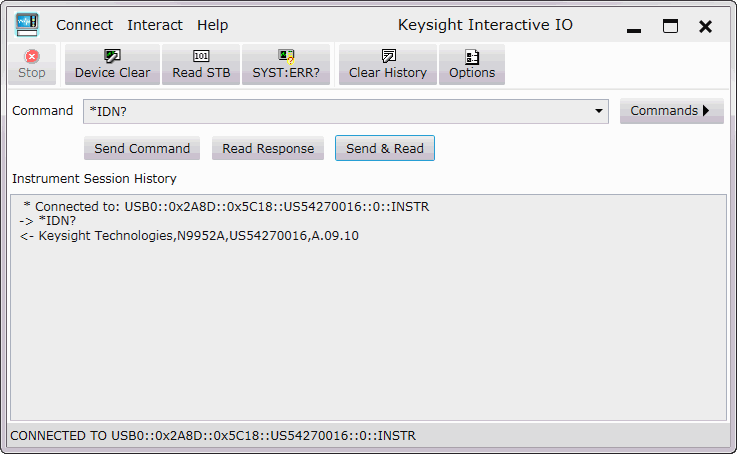
The FieldFox comes with a USB-A/C port that can be used to connect to your PC’s standard USB 2.0 or 3.0 port. Using Keysight IO Libraries, Connection Expert and connecting via a VISA connection, you can send SCPI commands via the Keysight Interactive IO window to the FieldFox. Refer to your IO Libraries online help for the details on connecting to your instrument. Refer to keysight.com to download the IO Libraries. The FieldFox may be communicated with via the VISA libraries. This makes it available to VEE, LabView, and other software tools that can communicate with VISA instruments.
Overview of USB-A/C to PC setup for sending SCPI commands and queries:
—Connect a USB-A/C (FieldFox device-side) to standard USB (host-PC)
—On the FieldFox: Power on the instrument.
—Click System 7 > System Diagnostics > System Information and find the FieldFox serial number.
—On your PC: Open the Keysight IO Libraries software, Connection Expert and connect to the FieldFox using the VISA connection. Refer to the Keysight Connection Expert Help.
—In the Keysight Interactive IO window: Type in your SCPIs on the Command line and click Send Command, Read Response, or Send & Read. Refer to the Keysight Connection Expert Help and Figure 32-1 on page 912.