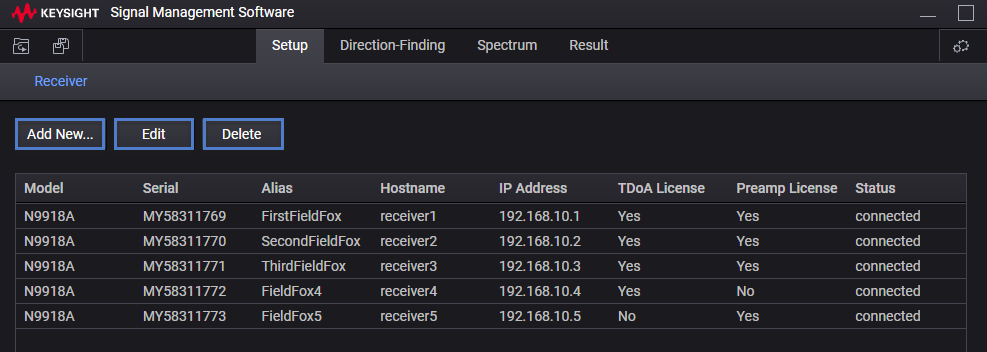
The Receiver(s) tab enables you to Add new..., Edit, and to Delete receivers.
Learn more, refer to Monitor - (Spectrum) - Overview and to Monitor Graph - Spectrum, Spectrogram, and Cross Domain.
See also, Using Monitor (Spectrum, Spectrogram, and Cross Domain).
Figure. Receiver Tab Features - List of Receivers
Set each instrument's settings as required for your measurement setup.
Instrument Settings (Spectrum - Example)
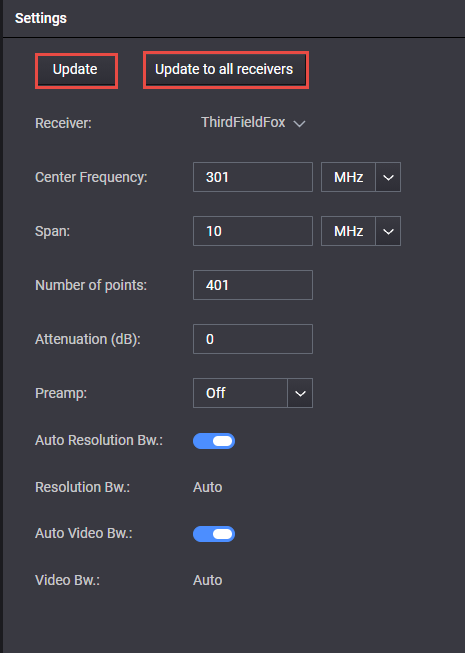
Figure. Instrument Settings (IQ Streaming - Example)
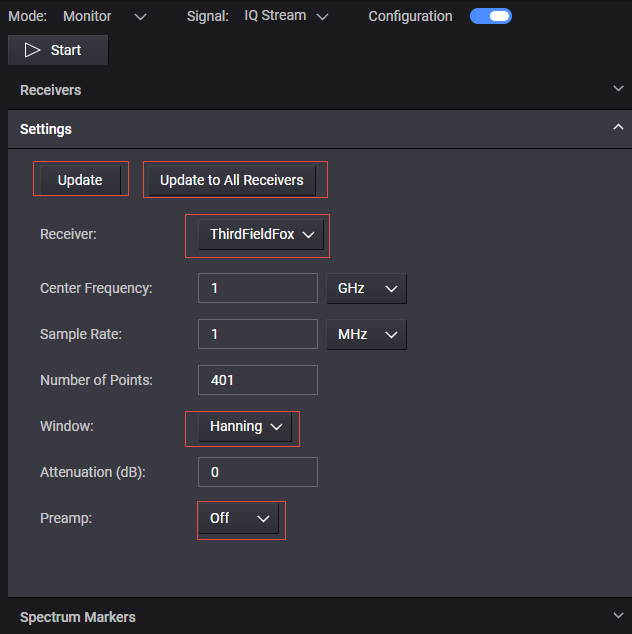
Update - After changing the settings, clicking Update to update the currently selected receiver.
Update to all receivers - After changing the settings, clicking Update to all receivers updates all of the currently active receivers.
Window - use this drop-down to change to one of the following types of Fourier domain windows:
Hanning (Default)
Gaussian Top
Flat Top