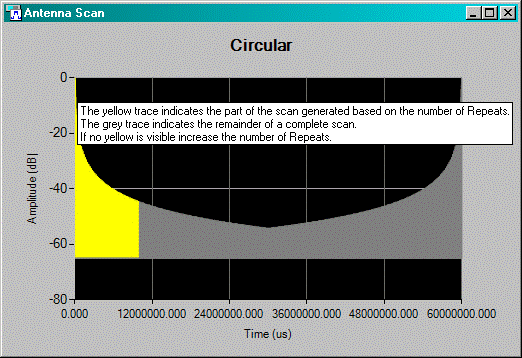
Display Pattern on the Antenna panel provides a simulation of the antenna scan. The plot displayed on the GUI indicates how the antenna pattern should look. The simulated data assumes equally spaced time values and is generated using the current antenna scan properties. The actual antenna pattern is closely tied to the pulse PRI pattern and may not be as smooth as the simulation. Also, you may have specified a small number of pulses that represent only a small portion of the entire scan. The yellow portion of the plot indicates what portion of the antenna scan will be generated based on the number of repeats. If a portion of the plot is grey, increase the number of repeats.
The figure below shows a simulated antenna scan for a circular pattern type.