Start the software and configure the hardware.
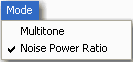
From the  Mode
menu, select Noise Power Ratio
(NPR).
Mode
menu, select Noise Power Ratio
(NPR).
Use the default settings
or configure the NPR Settings
as desired.
Follow this procedure to create a noise power ratio signal and to perform these related tasks:
Start the software and configure the hardware.
From the Mode
menu, select Noise Power Ratio
(NPR).
Use the default settings
or configure the NPR Settings
as desired.
Click  to download and play the waveform.
Configure the analyzer to view the signal.
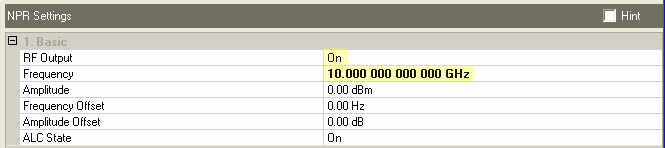
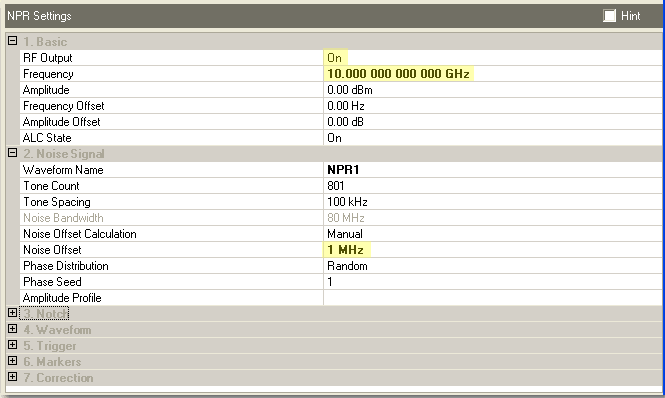
The following figures show an example of the default settings for a
Wideband Arb Waveform Generator with Calibration.
RF Output = On
Frequency = 10 GHz
Noise Offset = 1 MHz
Configure the analyzer as follows:
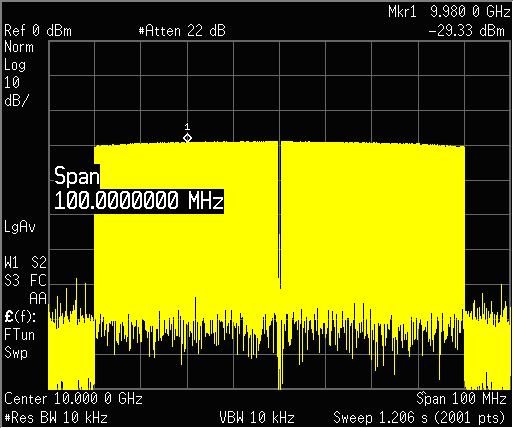
Span = 100 MHz
ResBW = 10 KHz
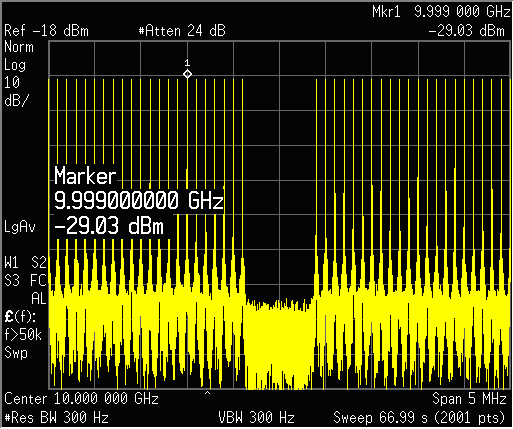
The analyzer display should look similar to the figure below.
Change the settings to:
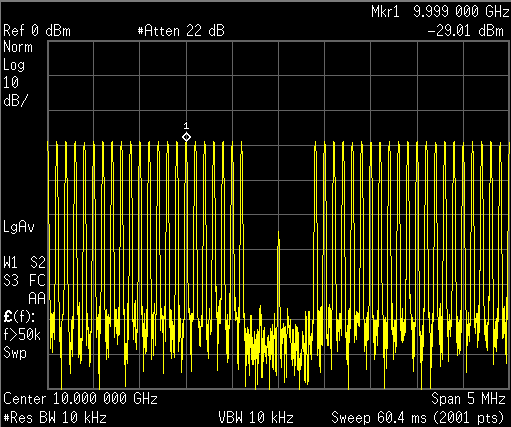
Span = 5 MHz
Select Marker
Notice the carrier feedthrough at 10 GHz.
To offset the notch and
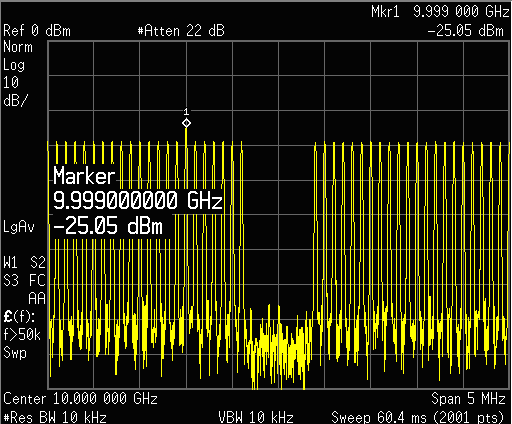
noise away from the carrier, set the Noise Offset
= 1 MHz.
Click to download and play the waveform.
Notice that the PSG marker is at 9.999 GHz but the notch itself is
still centered around 10 GHz.
Configure the NPR Settings
as follows:
Corrections = On
Apply Amplitude Accuracy Adjustment = On
Desired Suppression = 70 dBc
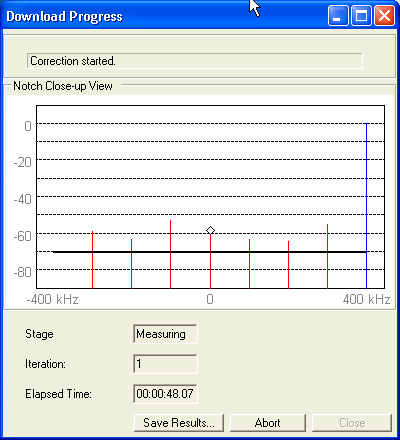
Click to Download.
A progress window will appear during the correction process. In this
case the correction algorithm may not achieve the 70 dB suppression in
all tones.
Click  to Play the waveform.
Configure the analyzer:
ResBW = 300 Hz