Before editing the sample programs, make backup copies of all files. To save the files, you will need to right-click each file, select Properties, and de-select the Read-only attribute.
Several sample API programs are provided to illustrate the basic program flow for automating signal configuration and playback in a .NET programming environment. They are placed in the following locations when you install the software:
C:\Users\Public\Public Documents\Keysight\Multitone Distortion\ApiExamples
Create API object.
Configure the instrument connection.
Test IO connections.
Configure the waveform.
Enable corrections
Generate and download the waveform to the signal generator.
Play the signal
|
|
Before editing the sample programs, make backup copies of all files. To save the files, you will need to right-click each file, select Properties, and de-select the Read-only attribute. |
The SimpleDownload sample project (...\ApiExamples\DotNet\SimpleDownload\SimpleDownload.sln), provides a simple, basic program to generate and download waveforms using API commands.
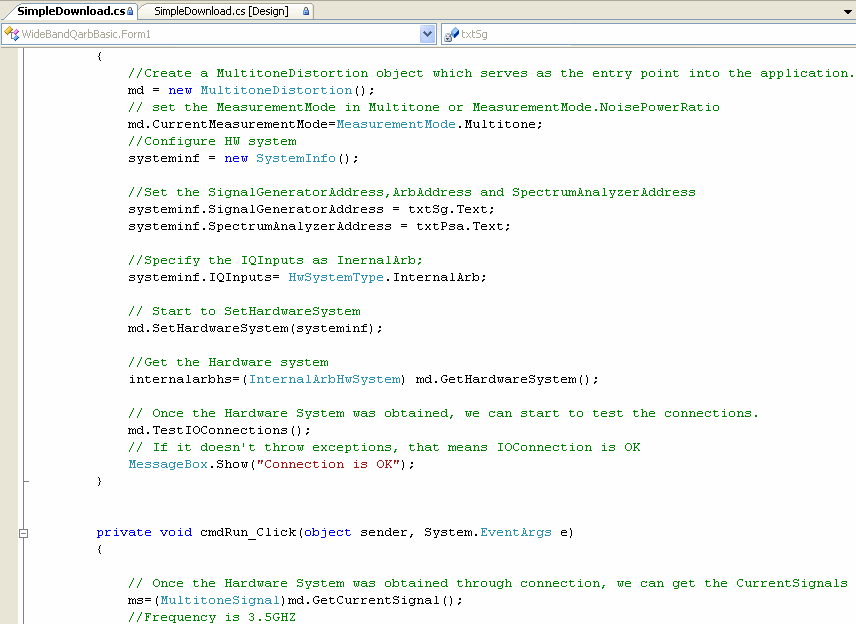
To view the code, open SimpleDownload.sln using the Microsoft Visual C# .NET application as shown in the figure below, or open SimpleDownload.cs using another text editor, such as Notepad.
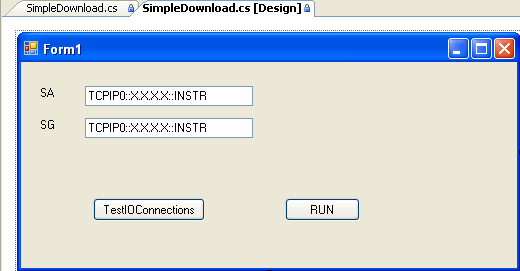
To view the .NET GUI, click the SimpleDownload.cs [Design] tab as shown in the figure below.