
PDU header settings vary according to the selected Packet Type.
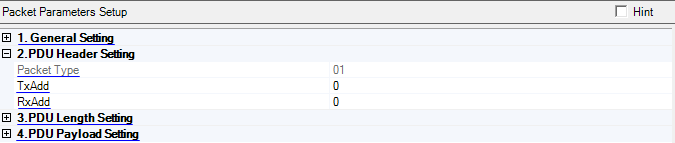
Display the type value of Bluetooth low energy wireless technology packet.
Range: 0 to 1
Default: 0
Set the public state of advertiser's address in Bluetooth low energy wireless technology packet.
0 − Public
1 − Private
Range: 0 to 1
Default: 0
Set the public state of initiator's address in Bluetooth low energy wireless technology packet.
0 − Public
1 − Private
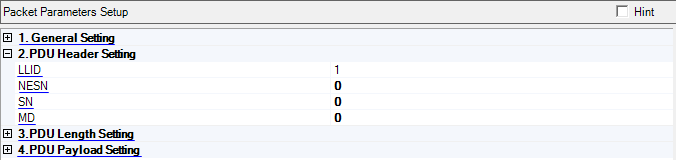
Set logical link to which the packet belongs.
1 − LL Data PDU: Continuation fragment of an L2CAP message, or an empty PDU
2 − LL Data PDU: Start of an L2CAP message, or a complete L2CAP message with no fragmentation
3 − LL Control PDU
Range: 0 to 1
Default: 0
Set the sequence number of next expected packet from the peer Bluetooth low energy wireless technology device in the LL connection.
Range: 0 to 1
Default: 0
Set the sequence number of the Bluetooth low energy wireless technology packet. In multiple packet distribution mode, the SN bit will be set automatically. If a new packet is sent, the value of SN will be toggled.
Range: 0 to 1
Default: 0
Set the more data indication bit of the Bluetooth low energy wireless technology packet.
Choice: True | False
Default: True
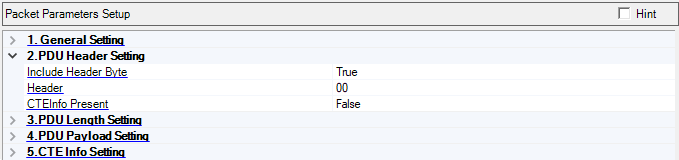
Double-click or use the drop-down menu to set header byte state of the Bluetooth low energy wireless technology packet.
Range: 0x00 to 0xff
Default: 0x00
Set the header byte of the Bluetooth low energy wireless technology packet.
Choices:True | False
Default: False
Coupling: If True, CTE Info Setting group in Reference Packet setup is visible, otherwise will be hidden.
Set the CTEInfo Present (CP) field of the Header to indicate whether the PDU Header has a CTEInfo field.
If Coding State is off, CTEInfo Present will be false and not editable.