
This block is to configure the Signal Analyzer instrument.
The supported Signal Analyzer models are listed below, including the necessary option for bandwidth:
| Model Number | Bandwidth Option |
| N9010A |
Option B40 (40 MHz) Option B85 (85 MHz) Option B1A (125 MHz) Option B1X (160 MHz) |
| N9020A | |
| N9030A |
This button connects to the instrument after entering the its Address in the Configuration property grid. It also displays the following status conditions:
Idle: No instrument is connected.
Connecting: The software is in the process of connecting to the instrument.
Connected: The software is connected to the instrument.

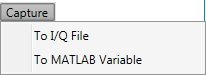
Click this button to capture the IQ waveform from the signal analyzer into a I/Q file or a MATLAB Variable.
|
1. Configuration |
2. Basic |
|---|---|
Enter the instrument address.
The drop down list of Address lists the recently used instrument address and the connection strings (GPIB, USB, LAN, etc.) configured in the IO Connection Expert.
Default: N9020A
This parameter displays the model number and serial number of the instrument if the status of Instrument Connection Button is Connected.
Choice: Auto | Manual
Default: Auto
Set the method of setting reference power in the signal analyzer.
Range: -100 to 30 dBm
Default: -10 dBm
Coupling: Available only when the Ref Power Mode is set to Manual.
Set the reference power for the signal analyzer. This setting will affect the preamplifier and attenuator settings in the Signal Analyzer.
Choice: Free Run | Video | Line | External 1 | External 2 | RF Burst
Default: External 1
Set the trigger source.
Range: for trigger delay values, see the Signal Analyzer's data sheet
Default: 0 s
Set the trigger delay.
Range: for sample rate values, see the Signal Analyzer's data sheet
Default: 5 MHz
Coupling: This value is coupled with the Sample Clock value in RF Signal Generator block.
This parameter is read only and displays the sample rate used for capturing data in the Signal Analyzer.
Range: for different signal analyzers, the range of capture sample length is different.
Default: 50000
Set the number of samples the Signal Analyzer captures. This value indicates the number of samples that are used to extract the DPD model. It should be less than the Oversampled Waveform Length value in the Waveform block.