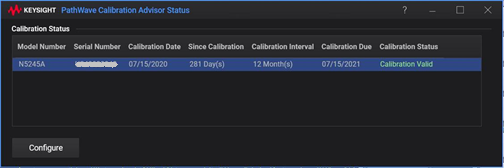
Pathwave Calibration Advisor (PCA) is a tool that that monitors the calibration status of instruments and notifies users when a factory calibration is approaching its due date or has expired. It helps users maintain calibration compliance by providing timely reminders.
The Pathwave Calibration Advisor (PCA) relies on calibration information stored in the instrument to monitor calibration status and notify users when calibration is due.
During factory calibration or service-center calibration, the calibration date is recorded in the instrument's internal storage.
Each time the VNA firmware starts, it checks the stored calibration information and determines whether the calibration is still valid.
If the calibration due date has passed, the firmware displays a warning message to alert the user that the instrument calibration has expired.
The notification helps users take timely action to schedule recalibration and maintain measurement accuracy and compliance.
This process provides increased visibility into calibration status, simplifies calibration management, and helps reduce the risk of operating instruments with expired calibrations.
This following VNA products support Pathwave Calibration Advisor (PCA).
|
Type |
Model Name |
PCA Type |
|
PXIe |
M980xA M983xA
|
PCA 2.x |
|
Streamline |
P50xxA P50xxB/BQ/M P937xB P938xB |
PCA 2.x |
|
Benchtop |
PNA series (N52xxB, NA52xxA) ENA8 series (E5080B, E5081A) SSA-X (E505xA) |
PCA 1.x |
|
PXIe
|
M937xA |
Not supported |
|
Streamline |
P937xA |
Not supported |
|
Simulator |
All models |
Not supported |
The VNA installer automatically installs and configures all PCA components. No additional user action is required.
How to launch Pathwave Calibration Advisor (PCA) |
|
|
Using Hardkey/SoftTab/Softkey |
Using a mouse |
|
|
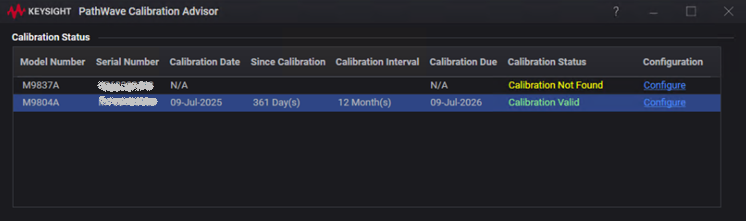
Appended to the list when the VNA firmware starts and remains in the list after the firmware exits.
Reset when PC is restarted.
When multiple modules are launched in a single VNA firmware instance, all modules are displayed in the list.
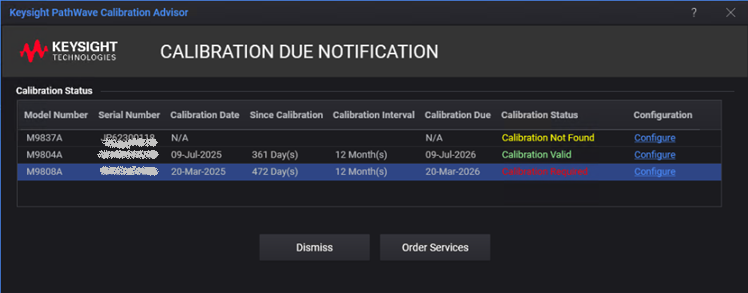
When the VNA firmware starts, a notification popup is displayed if a module calibration has expired or reaching to the due date.
For information on how to set up the PathWave Calibration Advisor, click on  in the top-right part of the dialog to access the PathWave Calibration Advisor Help.