Custom Modulations (Custom OFDM)
Within the Custom Modulation tab, you can import, export, and edit standard-based modulation schemes as well as user-defined custom modulation schemes. You can also create a custom modulation directly in the VSA.
The Custom Modulation tab is used when an allocation's Modulation is set to Custom Modulation.
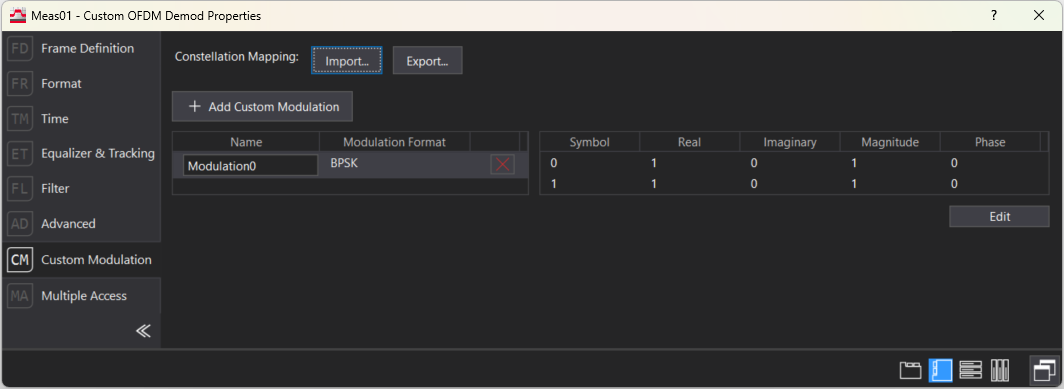
Constellation Mapping
-
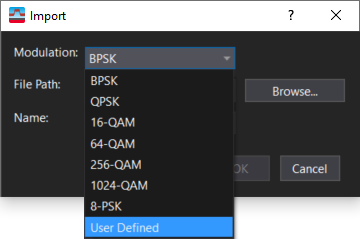
Import- Opens a dialog to import custom modulations with a .txt file type and Signal Studio Constellation File formatting and add it to the library.
Choose the modulation format that matches the format of the imported file, or choose User Defined if you are importing a non-standard modulation (e.g., Non-Uniform Constellation). The selected Modulation needs to match the modulation format of the constellation file you are importing or the import will fail.
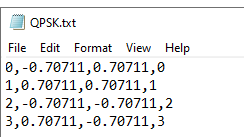
Each line in the text file represents a symbol state defined in the constellation. The values for each symbol are separated with commas and include Index, I (real), Q (Imaginary), and Symbol, in that order. Magnitude and phase values are not saved, as they are calculated from the I and Q values. You can manually create constellation files, or you can save them using Signal Studio or other tools, such as Matlab.
-
Export- Exports the I/Q state data of the currently selected custom modulation to a text file with Signal Studio Constellation File formatting.
Custom Modulation Editor
-
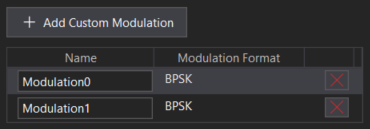
+ Add Custom Modulation- Creates a new, empty custom modulation entry and adds it to the library.
When you click a custom modulation, the selected modulation's constellation is displayed in the Constellation Table.
-
Name-User-editable name that uniquely identifies this custom modulation definition. This name is used when assigning the modulation to an allocation. If the custom modulation is imported from a file, the filename is used as the custom modulation name. If the custom modulation is created using Add Custom Modulation, the default name is ModulationN.
-
Modulation Format- The constellation type associated with this definition (e.g., QPSK Quadrature phase shift keying, User Defined).
-
Remove Custom Modulation
 - Deletes a custom modulation from the list of custom modulations.
Constellation Table
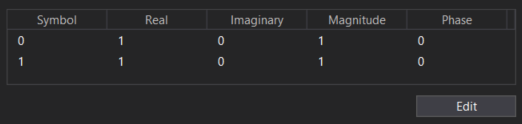
-
Symbol- Symbol value (displayed in hexadecimal).
-
Real- Real (I) component of the ideal symbol location.
-
Imaginary- Imaginary (Q) component of the ideal symbol location.
-
Magnitude- Magnitude of the ideal symbol location.
-
Phase- Phase of the ideal symbol location, in degrees.
Edit- When clicked, the parameters in the constellation table become editable, and several controls are added to customize the modulation. Any edited states must align with the selected modulation format, in order to create a constellation that is valid.
Constellation Editor
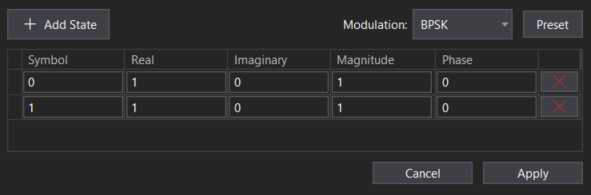
When you manually edit constellation points (IQ values, magnitude/phase, or adding/removing states) in the Custom Modulation Editor, the Modulation dropdown automatically switches to "UserDefined".
-
+ Add State- Appends a new empty row to the I/Q state table for the custom modulation being edited.
-
Modulation- Selects the constellation's modulation format. Choose a standard modulation if you are creating a constellation based on one of the standard modulation formats in the drop-down list (BPSK Binary phase shift keying - A type of phase modulation using 2 distinct carrier phases to signal ones and zeros., QPSK, 16-QAM Quadrature Amplitude Modulation, etc.), or choose User Defined if you are creating a non-standard modulation (e.g., Non-Uniform Constellation).
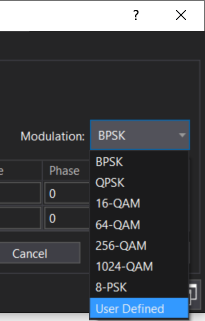
-
Remove State
- Deletes a state from the constellation. -
Cancel- Discards all unsaved edits and returns to read-only view.
-
Apply- Commits the edits and returns to read-only view.
If the configured states are not valid for the selected modulation type, an "invalid state configuration" error will occur when the edits are applied.
See Also
