Preset
In the Clock Recovery Setup dialog box, the Preset controls let you select from a list of clock recovery settings appropriate for the selected signal type (see Signal Type Setup), various technologies, and typical symbol rates.
You can add the current settings to the presets list by clicking the + button and entering a name.
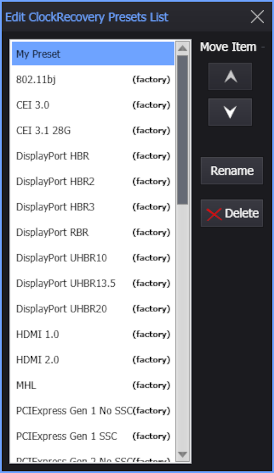
You can edit the presets list by choosing the <Edit List...> item. In the Edit ClockRecovery Presets List dialog box, you can move items up and down in the list, and you can Rename or Delete items that are not "factory" presets.