Minimize and Maximize Content Windows
In the upper-right corner of every content window are minimize and maximize buttons that cause the content window to be lowered to a task bar or to occupy the space of all nine panel locations, respectively.

Minimized content windows appear as buttons in a task bar below the panels grid. Select a content window button in the bar to return the content window to its previous panel grid location.
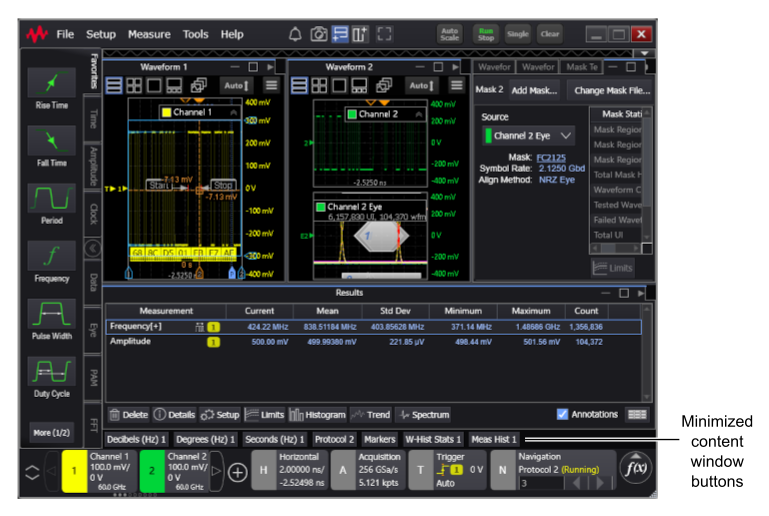
When a content window is maximized, there is a restore down button to return the content window to its previous panel grid location.

Here's an example of a maximized content window:
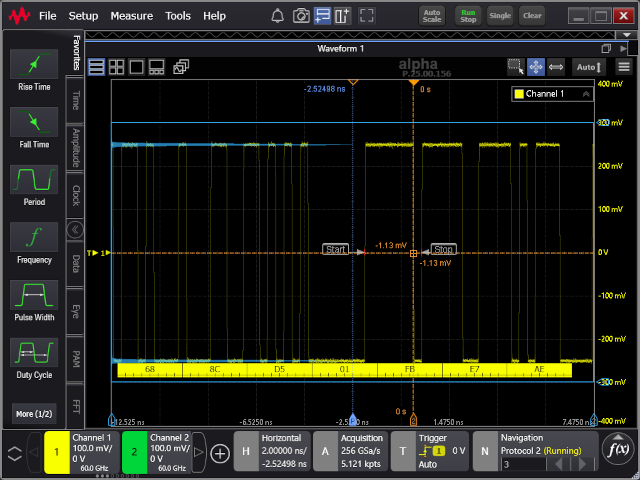
When a content window is maximized, the other currently defined content windows cannot be seen, but they will reappear when the maximized content window is restored down.