Divide Operator
 The Divide math operator divides one source by another source, point by point, and places the result in the selected function waveform.
You can use Divide to measure the ratio of any two signals, such as the output voltage divided by the input voltage of an amplifier circuit.
 You can apply a constant to the Divide operator.
Display Setup
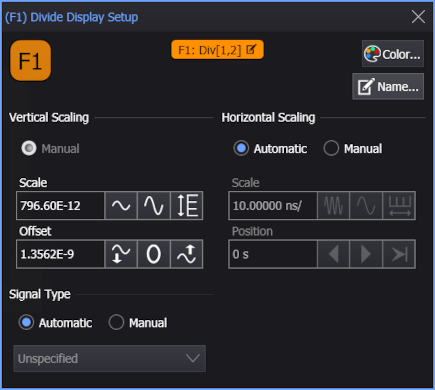
The Divide operator's setup includes a Setup section that has the selections that are shown in the following setup dialog box. Use these settings to control the display of the operator's output waveform, including turning the display on or off. Use the Name field to display an identifying name to the waveform which can be helpful for screen captures or when multiple waveforms are displayed. The setting also include the output waveform's color, scaling, and signal type. The horizontal scaling Automatic selection allows the output waveform to follow changes to the scaling of the input waveform. This is the setting you would normally want to use.