DFE Display Setup Tab
The DFE signal processing operator includes a Display Setup tab.
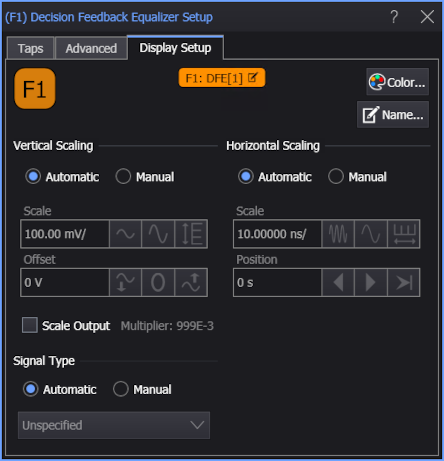
Use these settings to control the display of the operator's output waveform, including turning the display on or off. Use the Name field to display an identifying name to the waveform which can be helpful for screen captures or when multiple waveforms are displayed. The settings also include the output waveform's color, scaling, and signal type. The scaling Automatic selection allows the output waveform to track changes to the scaling of the input waveform. This is the setting that you would normally want to use.
After DFE is applied, the eye drawn is attenuated. To amplify the eye back to its original size (so you can directly compare the eye at the receiver to the eye at the transmitter) a gain factor needs to be applied. The Scale Output option specifies that a constant be applied to both the unequalized input signal and the corrected decision threshold value. A value of 1 means there is no gain applied to the DFE eye diagram (like multiplying by 1).