<String> Element
The <String> element adds a User-Defined Control to the User Operator Setup dialog box. The control is a blank string-entry field, unless you include the optional <Default> element which allows you to pre-populate the string. The string can be up to 128 characters. Escape characters are not allowed. In order for your script to access this setting, the "Name" attribute in the parent <Control> element must be the name of a script string variable.
|
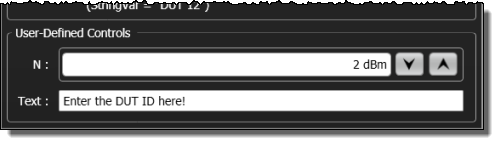
|
Parent Elements
Child Elements
Attributes
None
Example
- <Function>
- …
- <Control Name = "Text">
- <String>
- <Default>Enter the DUT ID here!</Default>
- </String>
- …
- </Function>