Functions Palette
The  button, located in the lower-right corner of the application, provides a quick method of accessing Functions.
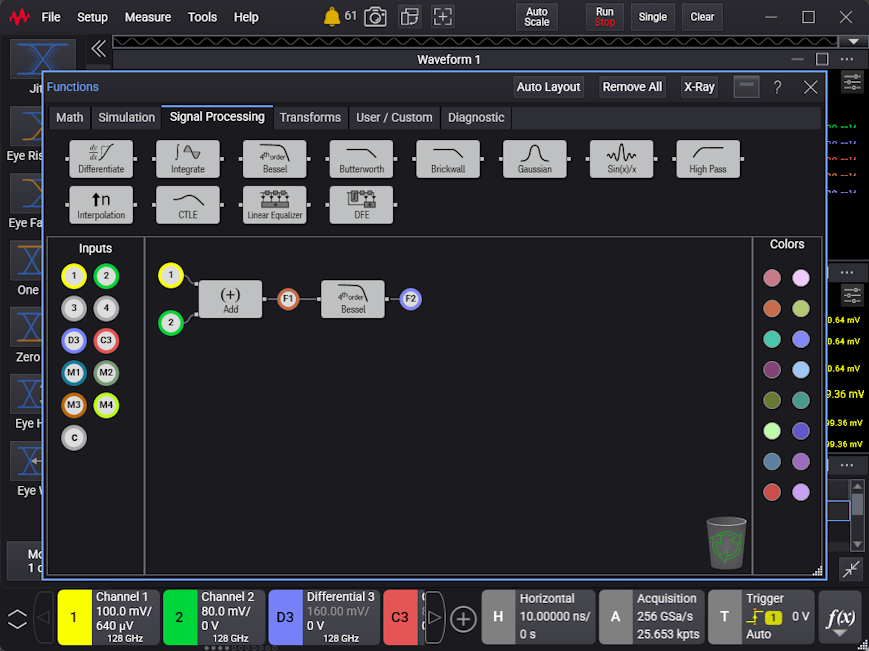
In the Functions dialog box, click X-Ray for a semi-transparent dialog box that will let you view the effects of the function immediately on the displayed waveforms.
 When an operator's output becomes questionable due to incorrect oscilloscope settings or operator settings, an
  icon is placed on the button to alert you to this condition.