[Auto Scale] Key
 Press [Auto Scale] on the oscilloscope front panel or click Infiniium's Auto Scale button to automatically scale the waveform vertically and horizontally and to adjust the trigger level. Before using Auto Scale, turn on at least one channel and ensure a valid signal is connected. After an Auto Scale is performed, you can adjust the waveform settings to your liking. On Infiniium, you can choose Setup > Undo to undo a previous Auto Scale.
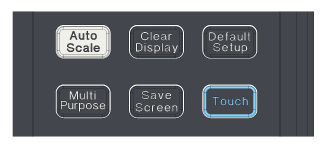
During an Auto Scale, the following three tasks are performed:
- Sets the vertical scale and offset of all the input channels that are turned on.
- Sets the trigger level and bandwidth.
- Sets the horizontal scale and position of the lowest numbered channel turned on.
Auto Scale and Triggering
The Auto Scale function sets the trigger level. The trigger level is set to the mean value of the input signal. For example, if the input is 0 to 0.6V, Auto Scale sets the trigger level to 0.3V.
Auto Scale and Y-axis (Vertical Scale)
The instrument evaluates the maximum and minimum values of all the input channels that are turned on and adjusts the vertical scale and offset to place the waveforms on the display screen. The waveform is moved so that it is centered in the middle of the display screen. The instrument then moves the waveforms so that the maximum value (Vmax) is positioned 2.5 divisions above the center of the display. The minimum value (Vmin) is positioned 2.5 divisions below the center of the display screen.
Auto Scale and X-axis (Horizontal Scale)
If there is more than one channel turned on, the instrument adjusts the horizontal time-per-division (or UIs-per-screen) for the lowest number channel. For example, if all four channels are turned on, the instrument adjusts the horizontal time-per-division based on channel 1. While the instrument adjusts the horizontal scale based on the trigger source and input selected, the horizontal position of the waveform on the display screen differs for single-valued and multi-valued waveforms.
- Single-valued waveforms: The first two zero-crossings of the waveform are positioned on the first and fourth horizontal divisions to the right of the display's left edge. For clock signals, two cycles are displayed on screen, with a positive pulse centered on the display. Ten UIs are displayed, and the left edge of the screen is aligned with the center of a symbol.
- Multi-valued waveforms (for example, a real-time eye or other waveforms using color grade or gray scale persistence): The centers of the crossing points of the waveform are approximately positioned on the second and eighth horizontal divisions of the display screen.