Calibrate Scope Noise
-
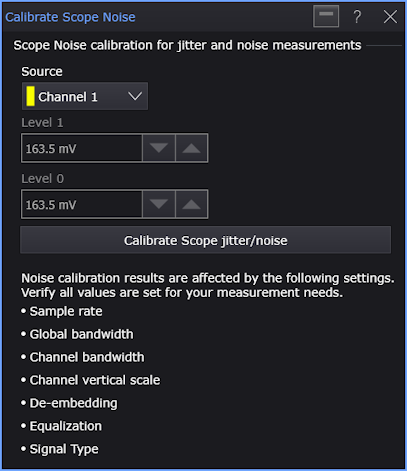
Source — Selects the input channel on which the oscilloscope random jitter / noise calibration will be performed.
-
Level N — These fields show the calibrated random noise values.
-
Calibrate Scope jitter/noise — Click to start the oscilloscope random jitter / noise calibration.
By measuring the oscilloscope noise and slew rate, the oscilloscope is able to calculate the oscilloscope's contributions to jitter and noise and remove it from the reported RJ and RN measurements.
Automatic calibration of oscilloscope noise works by measuring the AC Vrms two divisions up from center screen for the one level and two divisions down from center screen for the zero level. These values can be removed from the reported one and zero RN and TN. The oscilloscope's measured RN is also reported in the noise results.
You will be asked to remove your probe from the oscilloscope's input while calibration takes place and to reconnect your probe when finished.