Oscilloscope Front Panel Marker Controls
-
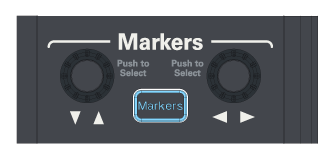
Vertical Marker Position knob — For Manual Line Markers, turning the knob adjusts the selected Y marker's position.
Pushing the knob selects the next Y marker. The selected Y marker flashes and its handle background becomes solid.
-
[Markers] key — Toggles the configured markers on or off.
If no markers have been configured, two tracking markers are automatically turned on for the lowest-numbered displayed channel, and the graphical user interface Markers dialog box opens.
-
Horizontal Marker Position knob — For Tracking Markers and Manual Line Markers, turning the knob adjusts the selected X marker's position.
Pushing the knob selects the next X marker. The selected X marker flashes and its handle background becomes solid.