Add Measurements Dialog Box
To open the Add Measurements dialog box, from the main menu, choose Measure > Measurements....
In the Add Measurements dialog box, measurements appear in a hierarchy of categories that can be expanded and contracted, and there is a field for finding only the measurements that contain a certain string. Often-used measurements can be added to the Favorites category. Selecting a measurement places its options in the right side of the dialog box. After selecting the options, click Apply to add the measurement.
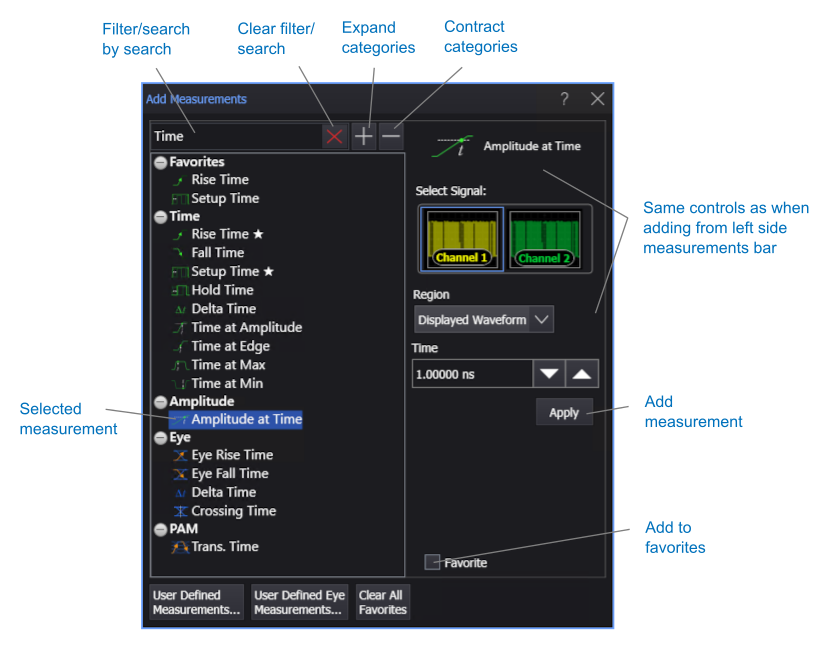
To set up user-defined measurements, click User Defined Measurements.... To set up user-defined eye measurements, click User Defined Eye Measurements.... See User-Defined Measurements.