Left-Side Bar and Drag-and-Drop Measurements
The left side measurements bar can be hidden, but it is always available. To add a measurement:
- Select the category tab.
- Click the More button to find the measurement.
-
Now, you have two options:
-
Either click the measurement button.
A dialog box containing measurement options appears. After selecting the options, click Apply to add the measurement.
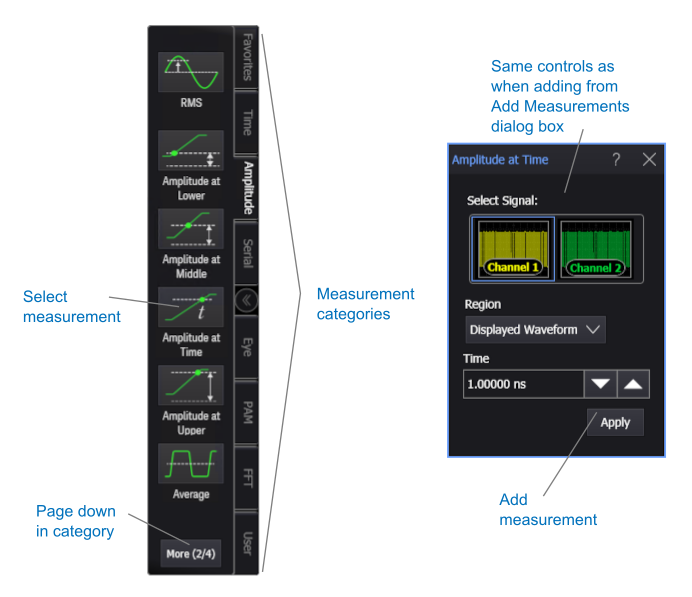
With the "click the measurement button" option, when measuring one occurrence per acquisition, the measurement is made at the edge closest to the timebase reference.
-
Or drag-and-drop the measurement button to a user-defined horizontal reference location.
With the "drag-and-drop measurement" option, the measurement is made at the edge closest to the drop point's user-defined horizontal reference.
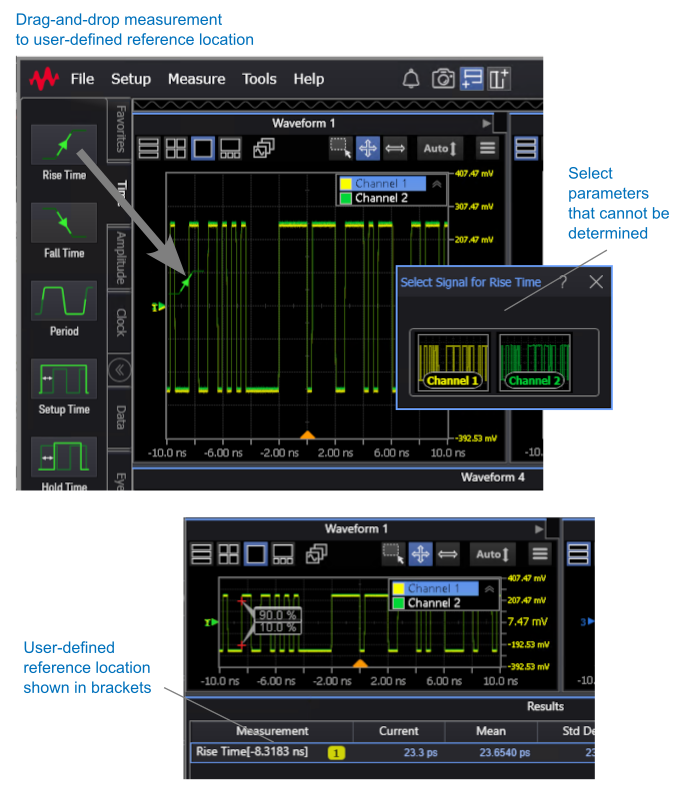
If there are any measurement setup parameters that cannot be determined, like when dropping on overlapped waveforms for example, a dialog box containing measurement options appears. After selecting the options, the measurement is added. (You may need to click Apply if there are multiple options to select.)
-