Probe Characteristics
When the Probe block in the Probe Setup dialog box diagram is selected, the probe's characteristics and options are displayed in the lower portion of the dialog box.
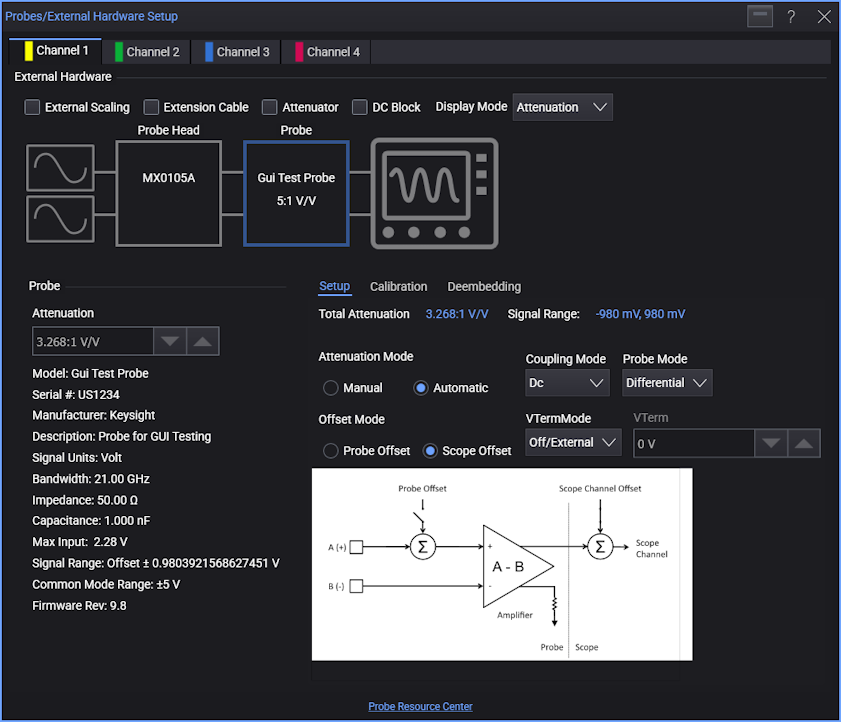
The Characteristics column for the Probe block gives you these controls and information:
-
Attenuation, Gain, Gain (dB) — The probe's gain ratio. If the Attenuation Mode is set to Manual, you can use this field to enter the value; otherwise, the value is automatically calculated and displayed.
- Model number.
- Serial number.
- Manufacturer.
- Description.
- Signal units.
- Bandwidth.
- Impedance.
- Capacitance.
- Max input.
- Signal range.
- Common mode range.
- Firmware rev.