SCPI Command Tree
The SCPI Remote Command Tree Viewer lists all SCPI command subsystems and their commands. You can quickly traverse the tree and study the interaction between any command and Infiniium (or an Infiniium application).
 Click the icon to open the help topic for the selected command.
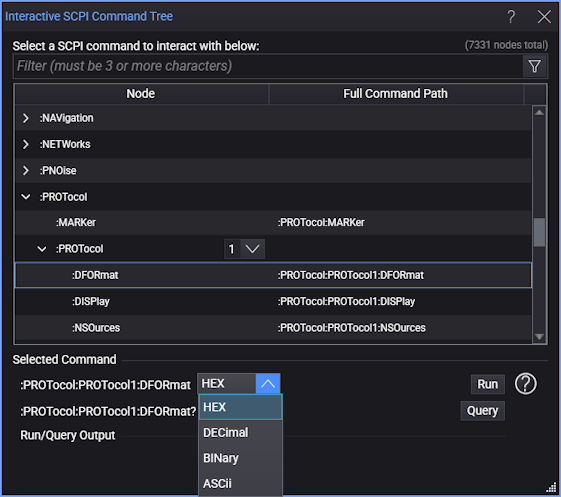
To learn about a command or subsystem, scroll down the command tree to locate the commands that interest you, such as the :PROTocol subsystem. Click on the expand button  to view the available commands. You can also expand an entry by double clicking on the row. The previous figure shows the
 :PROTocol:PROTocol:DFORmat command. Notice that the drop-down list provides all of the available arguments for the command. You can make a selection, and click Run to execute the command. Click Query to display the current value in the Run/Query Output field. Some commands take an integer (int) or double (double) value.