Memory Bar
The memory bar appears above the primary display panel. The full width of the bar represents the full depth of the acquisition, and the box within the bar shows the portion of the acquisition that is being displayed.
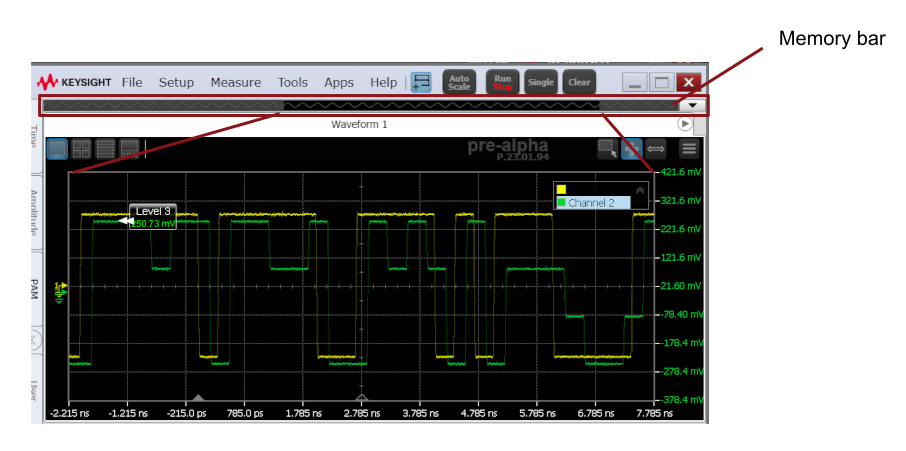
The drop-down control on the right side of the bar opens the Zoom Display:
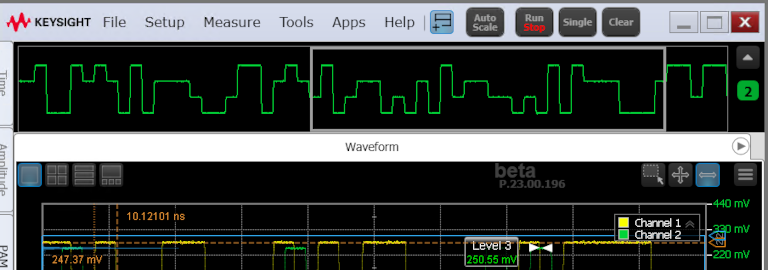
In the Zoom Display, you can:
- Drag the gray box to change the portion of the waveform displayed in the Waveform window. This is similar to dragging waveforms in the Waveform window left and right using the XPan mode.
- Click inside the gray box to center the zoom window at the click location.
- Click the waveform number to select a different signal for the Zoom Display.
You can select channels and waveform memories that are currently being displayed or that are the inputs for real-time eyes or math function waveforms currently being displayed.