Edge Transition
The Edge Transition trigger mode finds any edge in your waveform that violates a rise time or fall time specification.
Edge transitions are identified by looking for signals that cross through two different vertical thresholds in a particular direction, in a certain amount of time. You can configure the direction and time.
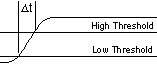
Rising edge transitions are measured from the time your waveform crosses the low threshold until the time it crosses the high threshold.
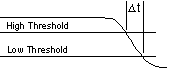
Falling edge transitions are measured from the time the waveform crosses the high threshold until the time it crosses the low threshold.
-
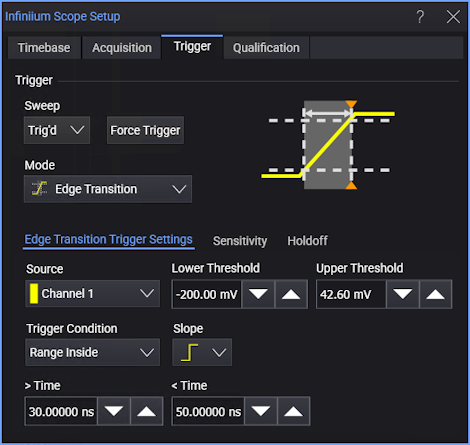
Source — Select one of the analog input channels.
-
Lower Threshold — Sets the low threshold level.
The best place to set the Lower Threshold is generally at the 10% point of the amplitude of your waveform. If there is a disturbance such as excess noise at this point, try adjusting the level above this point until you get a stable trigger.
-
Upper Threshold — Sets the high threshold level.
The best place to set the Upper Threshold is generally at the 90% point of the amplitude of your waveform. If there is a disturbance such as excess noise at this point, try adjusting the level below this point until you get a stable trigger.
-
Trigger Condition — Specifies the edge transition time to trigger on:
- > Time — Triggers when a transition is longer than the specified Time.
- < Time — Triggers when a transition is shorter than the specified Time.
- Range Inside — Triggers when a transition is within the range specified by the > Time and < Time values.
- Range Outside — Trigger when a transition is outside the range specified by the < Time and > Time values.
Edges are identified when a signal passes through the trigger threshold voltage. The direction of the edge is determined based on hysteresis around the trigger threshold.
-
Slope — Select rising or falling edge transitions.