
N7874A Calibration Application Help for PXIe/USB Vector Network Analyzers
|
|
N7874A Calibration Application Help for PXIe/USB Vector Network Analyzers |
|
|
To successfully complete the module calibration, all performance tests must be run and passed within 14 days to run the Store Cal Info to Module test. Note that this excludes any functional tests such as the Receiver Calibration Verification (Functional) Test. |
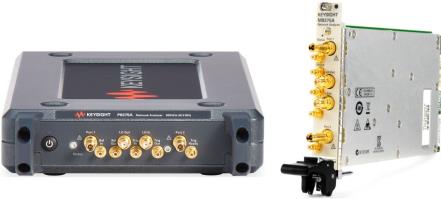
The following models are supported by the N7874A calibration software:
|
PXI Models |
USB Models |
Frequency |
|
M9370A |
|
300 kHz to 4 GHz |
|
|
P9370A |
300 kHz to 4.5 GHz |
|
M9371A |
P9371A |
300 kHz to 6.5 GHz |
|
M9372A |
P9372A |
300 kHz to 9 GHz |
|
M9373A |
P9373A |
300 kHz to 14 GHz |
|
M9374A |
P9374A |
300 kHz to 20 GHz |
|
M9375A |
P9375A |
300 kHz to 26.5 GHz |
|
Instructions on how to install, configure, and run the calibration software, and how to prepare the DUT (Device Under Test) for testing. |
|
|
A list of test equipment required to run the performance tests. |
|
|
In this section, the following topics are covered:
|
|
|
Troubleshooting information should performance tests fail |
© Keysight Technologies, Inc. 2015–2018, 2020, 2025
Compiled Thursday, January 23, 2025

