The Result tab displays the summary results of your directional-finding measurements.
This tab contains the following sections:
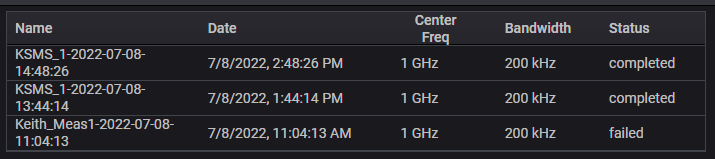
The list of directional-finding measurements table lists the Name (Id), Date, Center Frequency, and Bandwidth that the measurement used to acquire the data. Refer to List of Measurement table.
List of Measurements table (KSMS Example; TDoA is similar)
This section contains the following:
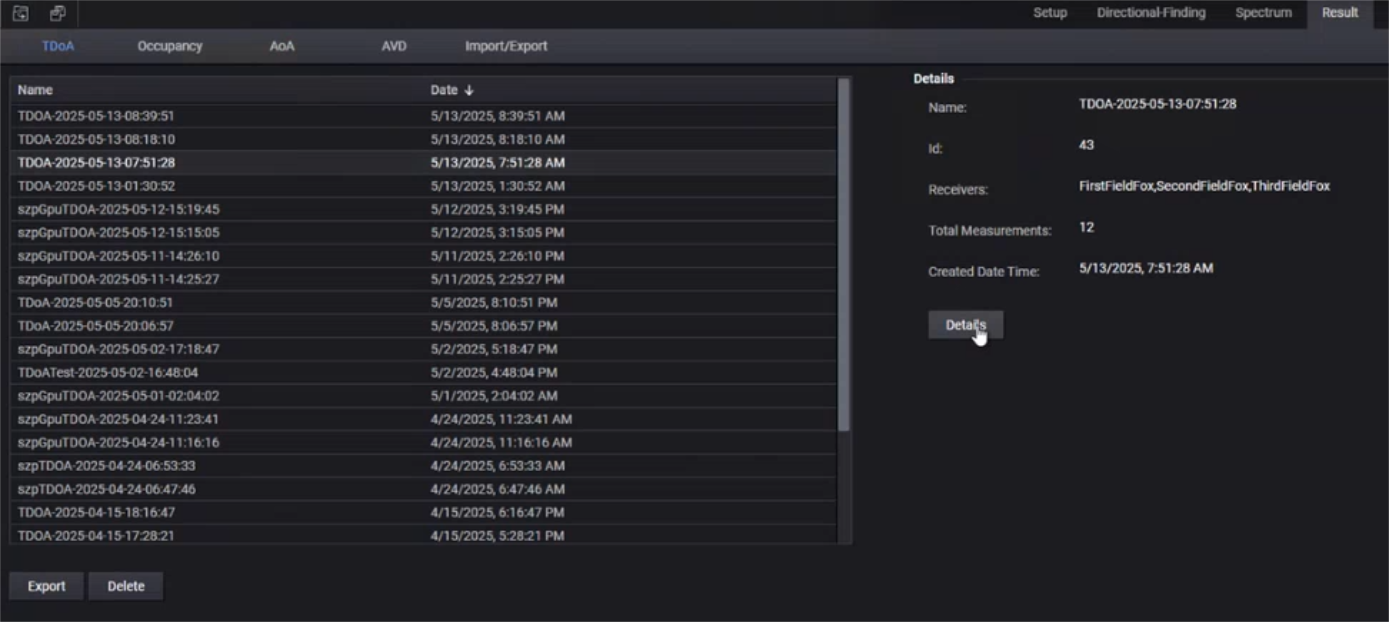
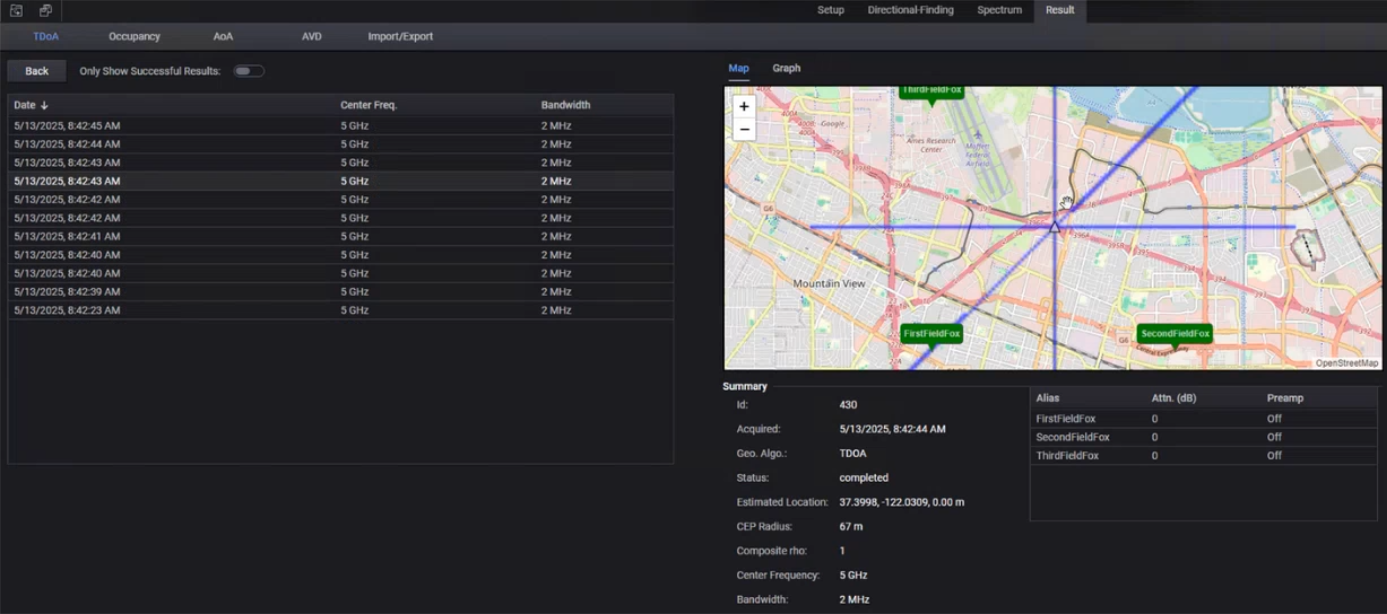
TDoA: Displays a list of the Alias, Attenuator (dB), and Preamp settings as well as the Summary data listed below. Refer to Summary of Measurement Results (TDoA Example) and Details of a TDoA Measurement Result.
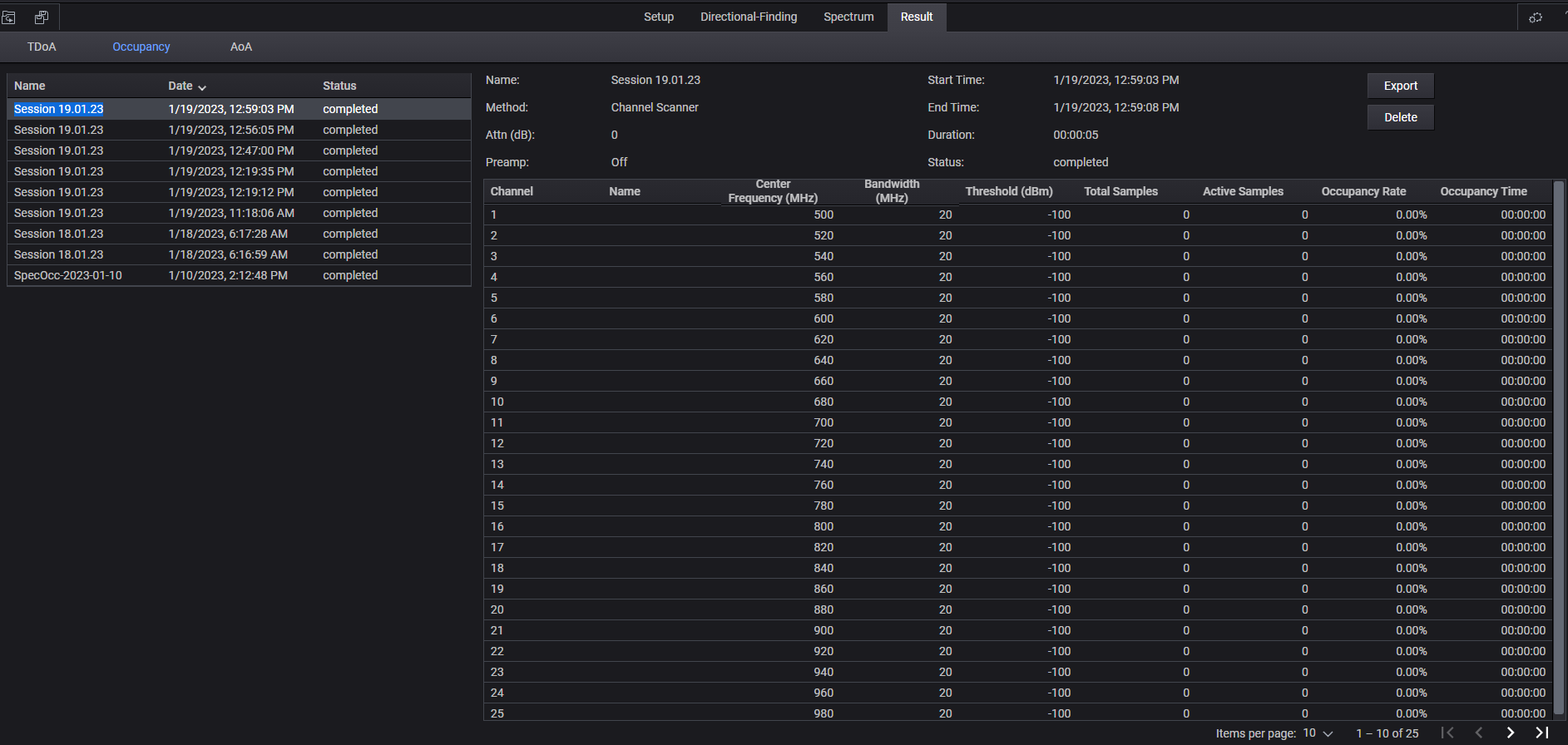
Occupancy: Displays Channel, Name (of the Session), Center Frequency (MHz), Bandwidth (MHz), Threshold (dBm), Total Samples, Active Samples, Occupancy Rate, and the Occupancy Time of the selected Session data listed below. Refer to Summary of Measurement Results (Occupancy Example).
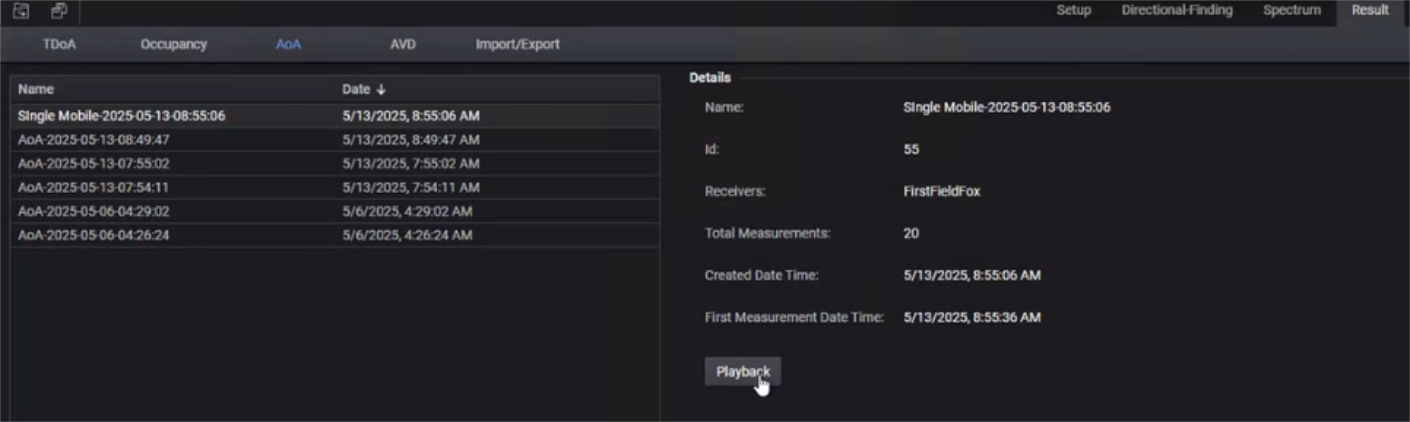
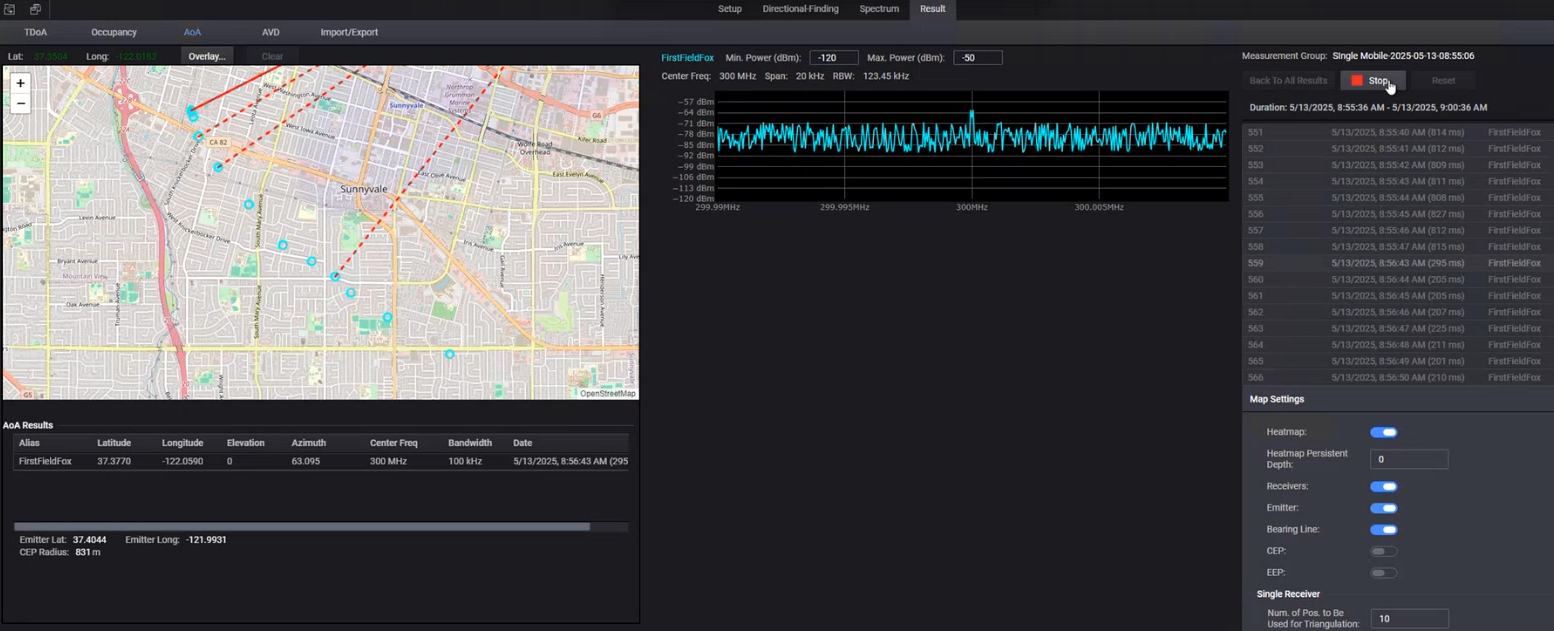
AoA: Displays the Name, Id, Receivers, Total Measurements, Created Date Time, and First Measurement Date Time. When a measurement is selected, selecting Playback takes you to the Results > Overlay view, where you can choose to Play the results or to go Back To All Results. Refer to Summary of Measurement Results (AoA - (Example 1 of 2) and Summary of Measurement Results (AoA - (Example 2 of 2).
This section allows you to view the status of the Import and Export operations that you performed for various measurement results displayed in the Results tab. Refer to Status of Import/Export Results (Occupancy and AoA Measurement Results Example)
See Also: Importing and Exporting Results to know more.

This section allows you to view the results of the AVD measurements that you generated using the Spectrum > AVD tab.
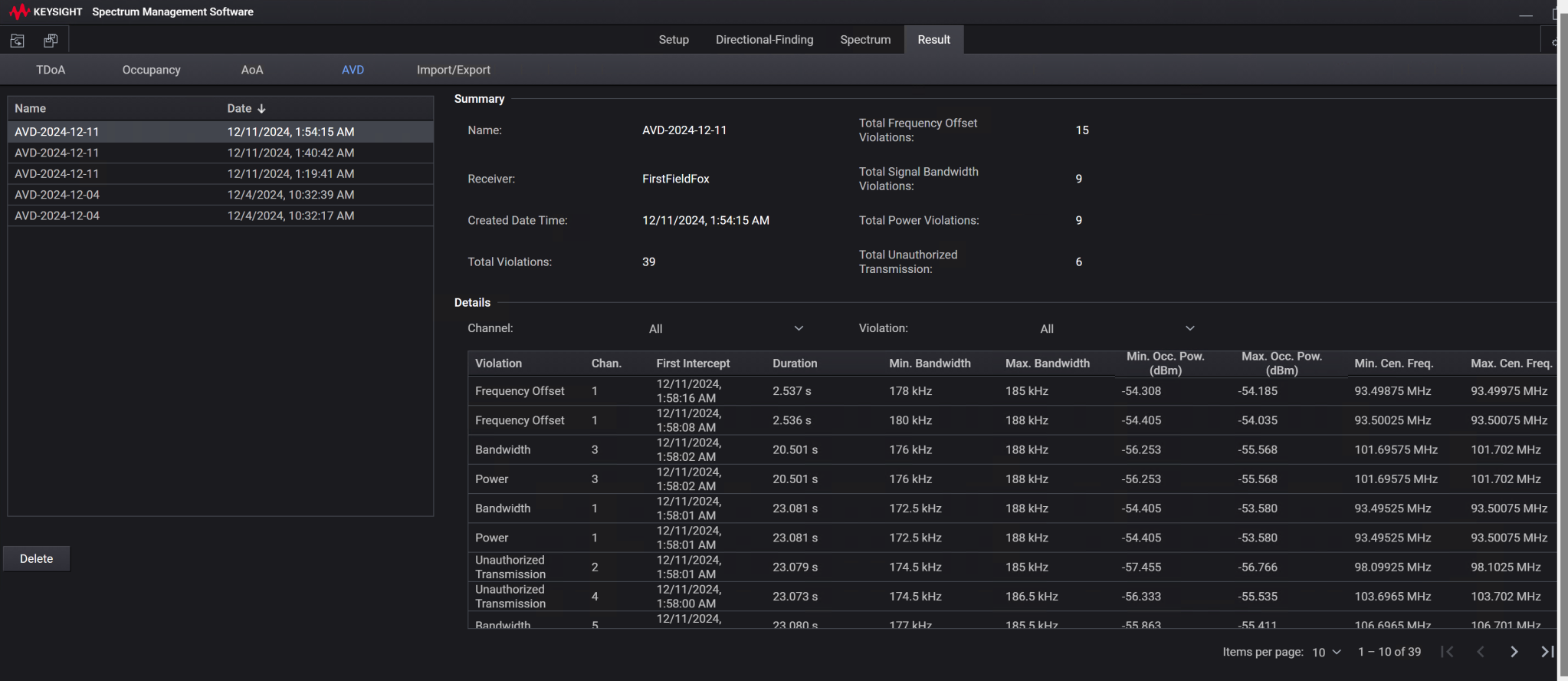
The left pane of the Result > AVD tab displays a list of AVD measurements with their name and the date and time at which these were generated.
When you select an AVD measurement from this list, the Summary and Details of that measurement are displayed in the right pane.
The following screen shows a sample AVD measurement results.