SCPI Server Setup
Use the SCPI Server Setup dialog box to the interface used for the following tasks:
- Configure (Undefined variable: General.ApplicationName) to be controlled via remote programming commands.
- Connecting Infiniium 2026 Offline to an Infiniium oscilloscope.
If you have problems connecting to an XR8 oscilloscope, the Window's Firewall may be blocking the appropriate ports which must be enabled for 4880, 5024-5025.
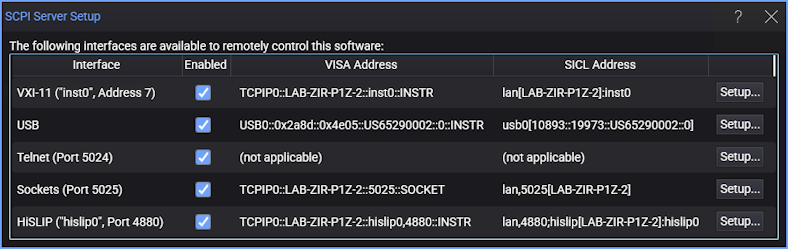
When you click a Setup... button, one of the interface dialog boxes described later in this topic opens to allow you to configure the selected interface. After entering the server settings, be sure to select Enabled.
The dialog lists the addresses that you use to identify the LAN address between your program and Infiniium. For example, the VISA Address for the HiSLIP interface is easy to locate and is used
- From the dialog box, write down the complete listed VISA Address for HiSLIP. As an alternative, you can highlight the string using the mouse cursor and press Ctrl-C to copy it to the clipboard for later use. In the above picture, the string for HiSLIP would be:
- Or, you could substitute the IP address as shown here:
- If your program is running on the same PC or oscilloscope as the Infiniium software, you can simplify this string by substituting localhost for the computer name. For example, you would modify the above VISA address to be the following string:
- Close the dialog box.
TCPIP0::2UA2421081::hislip0,4880::INSTR
TCPIP0::141.121.89.103::hislip0,4880::INSTR
TCPIP0::localhost::hislip0,4880::INSTR
When controlling an XR8 oscilloscope, the XR8 oscilloscope will almost always be in Standard configuration which is its normal configuration. In Standard configuration, send the Infiniium commands to the XR8 oscilloscope's Infiniium application using the HiSLIP, Sockets, or VXI-11 Visa interface.
VXI-11 Interface
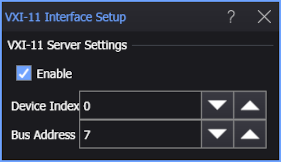
VXI-11 is a standard I/O protocol used by a VISA (Virtual Instrument Software Architecture) library. Enter the device index and bus address.
USB Interface
The USB interface is available on XR8 oscilloscopes. To form a USB address, requires that you enter the following address fields SCPI Server Setup dialog box.
<USB_vendor_identification_number> <USB_product_identification_number> <USB_serial_number:>
| Identification | Number |
|---|---|
| Keysight USB vendor | 0x2A8D |
| XR8 oscilloscope USB product | 0x7B01 |
For an XR8 oscilloscope, the VISA Address would be similar to the following string for an instrument serial number of US57331234.:
USB0::0x2a8d::0x7b01::US57331234::0::INSTR
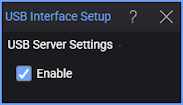
The only option in the setup dialog box is to enable or disable the USB server.
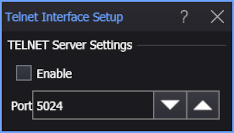
Telnet Interface
Telnet is a standard network protocol. Enter the port on the PC used for network communication.
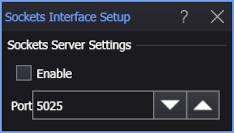
Sockets Interface
Enter the PC port used for the sockets interface.
HiSLIP Interface
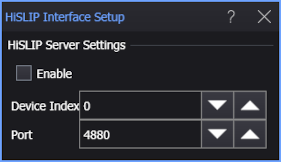
The HiSLIP (High-Speed LAN Instrument Protocol) interface facilitates TCP-based instrument control. Enter the device index and PC port used for network communication. This is the only interface that is compatible with FlexEye Independent Eye Acquisition and Analysis.