Calibrations
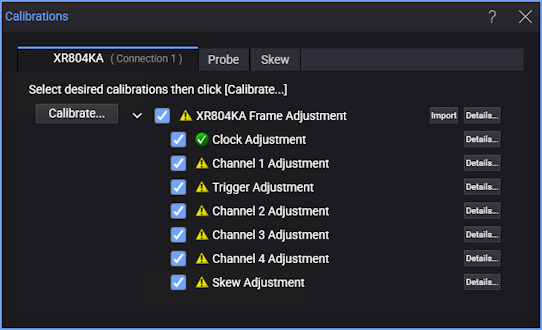
Use the Calibrations dialog box to view calibration status.
| Icon | Description |
|---|---|

|
Calibration is selected |

|
Calibration is unselected |

|
Calibrations are partially selected |

|
Calibration is current |

|
Calibration is recommended |

|
Calibration has never been performed |
Click Details... to view information such as the time and temperature at which the last calibration was performed.
Performing Frame Adjustment/Calibration
Frame Adjustment utilizes the Oscilloscope Optimization Module to align internal correction constants for best performance. Metrological traceability of warranted specifications is achieved only after the procedures described in the "Testing Performance" chapter of the user's guide are completed.
Because Keysight Service Centers have the required Oscilloscope Optimization module, frame adjustment/calibrations are typically performed there.
If you have the proper Oscilloscope Optimization module, you can start frame adjustment/calibration by clicking Calibrate.... This will start all selected calibrations.
In order to work properly, the input of the Oscilloscope Optimization module must be connected to AUX OUT.
The Oscilloscope Optimization module should never be connected to CAL OUT.