Explicit 3rd Order PLL
The Explicit 3rd Order PLL recovery method lets you provide a clock from the circuit that you are measuring and apply a third-order PLL.
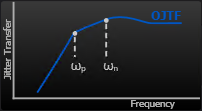
You can specify the PLL's response in terms of its Natural Frequency (ωn), Pole Frequency (ωp), and Damping Factor (ζ).
Note that the following equations use the angular frequency, ω (in radians/sec) which is equivalent to 2πf, where f is frequency (in Hertz).
The Third Order PLL's Jitter Transfer Function looks like this:

The Third Order PLL's Observed Jitter Transfer Function (or Error Function, hence, E(s)) looks like this:

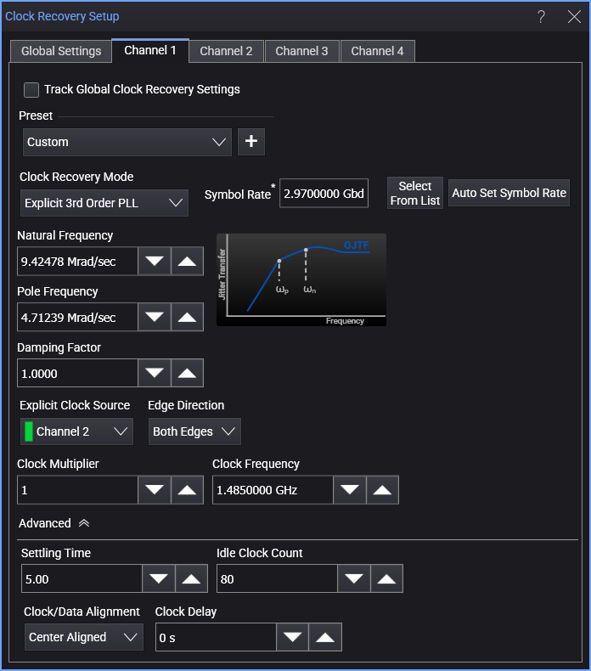
When the Explicit 3rd Order PLL clock recovery mode is selected, the dialog box has these controls:
-
Symbol Rate — Displays the signal's measured symbol rate.
For explicit clock recovery methods, Clock Frequency is used in place of Symbol Rate.
The Select From List drop-down menu lets you select typical rates for standard communication interface technologies. The Auto Set Symbol Rate button runs a data rate measurement and populates the Symbol Rate field with the data rate measured on the input signal.
-
Natural Frequency — ωn in the previous equations.
-
Pole Frequency — ωp in the previous equations.
-
Damping Factor — ζ in the previous equations.
Explicit Clock Settings
-
Explicit Clock Source — This specifies the input source of the provided clock to be used for clock recovery.
-
Edge Direction — Lets you specify the edges used in the explicit clock: Rising edges, Falling edges, or Both rising and falling edges.
-
Clock Multiplier — This specifies the multiplier of the provided clock to be used.
-
Clock Frequency — The clock frequency of the PLL.