PAM3 General Thresholds
For NRZ (non-return-to-zero) signals, General and Rise/Fall threshold settings are independent. However, for PAM3 signals, both PAM3 General and PAM3 Rise/Fall threshold settings are used, and both must be set appropriately.
In the PAM3 General subtab, you can:
- Specify the PAM3 global threshold (and signal level) definitions.
- Specify PAM3 unique threshold (and signal level) definitions for each signal.
For each signal:
-
Select the signal under Thresholds apply to.
For a real-time eye made from another waveform in the system, select the original waveform. For a real-time eye in a color grade memory, select the color grade memory.
-
Select Track Global Threshold to use the PAM3 global threshold (and signal level) definitions for the selected signal.
Or, clear the Track Global Threshold selection to specify unique PAM3 threshold (and signal level) definitions for the selected signal. Another set of threshold (and signal level) definition controls become available.
When specifying unique PAM3 threshold definitions for a selected signal, you can click Copy From... to copy the PAM3 threshold definitions that another signal uses. If the other signal is tracking the PAM3 global threshold, the selected signal will then switch to tracking the PAM3 global threshold too.
-
Select the Threshold Method as either 50% of Levels or ± Hysteresis.
50% of Levels Threshold Method
Thresholds are set at the 50% locations between PAM levels.
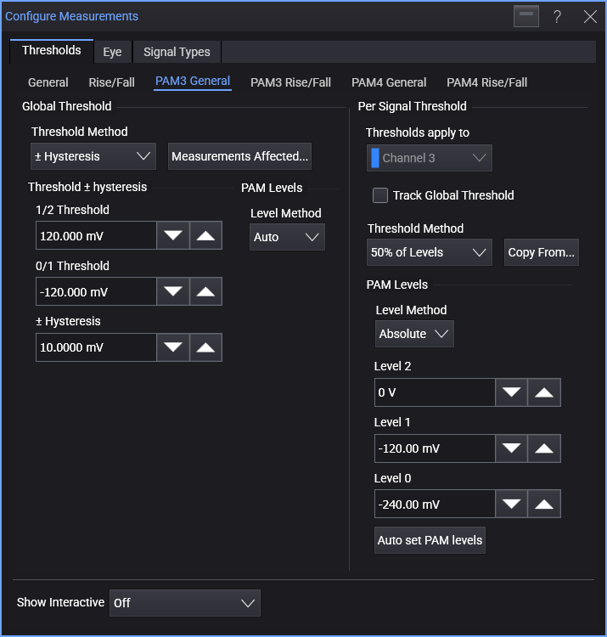
Next, you define the PAM levels. For the Level Method, you can select:
-
Auto — The PAM levels are automatically determined.
-
Absolute — You can enter level values in the Level 2, Level 1, and Level 0 fields.
You can click Auto set PAM levels to cause a vertical histogram measurement to be run to determine the levels automatically. These values are copied into the fields above where you can make adjustments.
± Hysteresis Threshold Method
Custom threshold and hysteresis values are entered in the 1/2 Threshold, 0/1 Threshold, and Hysteresis fields.
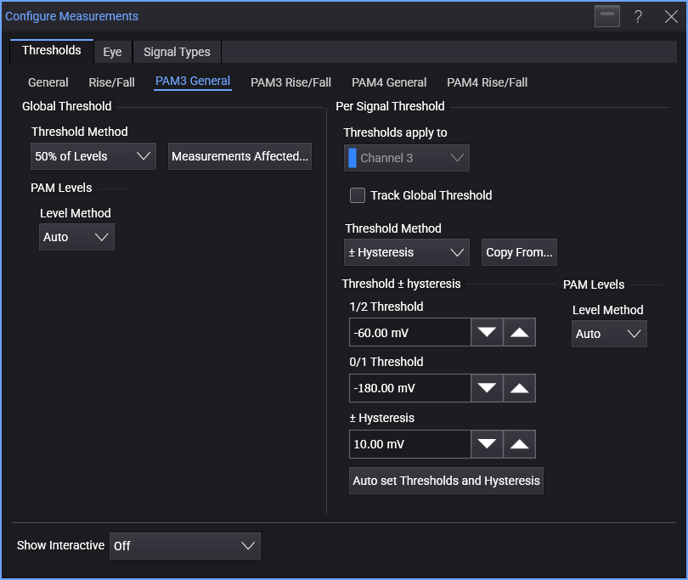
The hysteresis band is applied to all thresholds for the purpose of edge finding.
You can click Auto set Thresholds and Hysteresis to cause a vertical histogram measurement to be run to determine the thresholds and hysteresis automatically. These values are copied into the fields above where you can make adjustments.
Measurements Affected
To see a list of the measurements affected by the PAM3 general threshold and signal level definitions, click Measurements Affected....