Instrument Configuration
To configure instrument connections:
-
 Click the "+" ("Turn Signals On or Off...") button, located in the badges bar, between the Waveform badges and the Horizontal badge.
 - In the Signal Management dialog box, click the associated "+" add button associated with Analog Channels.
-
In the Instrument Configuration dialog box, drag an instrument from the Instruments palette at the top of the dialog box into a Connection at the bottom of the dialog box.
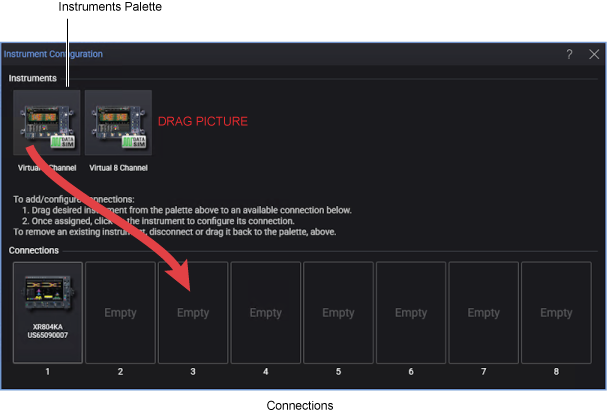
Infiniium 2026 supports up to eight instrument connections.
- Now, you can typically click the instrument icon or buttons to connect to, or further set up, the instrument.
A total of 64 input channels are possible. The Infiniium 2026 software can simultaneously display and perform measurements on all 64 channels.
For more information on configuring instruments, see: