Acquisition Limits
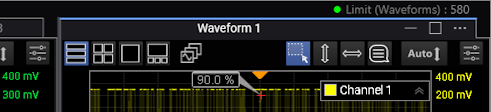
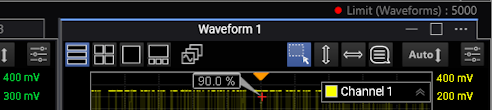
Use the Acquisition Limit Test dialog box to limit data acquisition to a specified number of waveforms or samples. As the limit test is running, the current acquisition count is shown at the top of the display. When the limit is reached, the green light ( ) shown next to the count turns red (
 ).
).
-
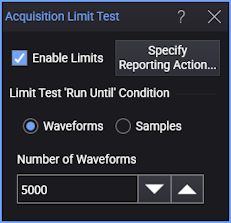
Enable Limits — Enable or disables acquisition limits.
Enabling immediately starts the test. To start after you close the dialog box, use the Stop, Single, and Run acquisition controls on the menu bar.
-
Specify Reporting Action... — Opens a dialog box with tabs for each type of action that can be taken when the limit is reached. See Reporting Actions.
-
Limit Test 'Run Until' Condition — After selecting Waveforms or Samples, use the Number of Waveforms or Number of Samples field to enter the number that will stop the test.
If a math function is displayed, at least one channel must be on in order to be able to specify acquisition limits for a specific channel. If no channel is active, acquisition limits must be set to All Channels Together.
The number of samples the instrument acquires is always a multiple of the number of points that you specify in the acquisition setup (see Acquisition Tab). Therefore, the acquisition limit test will stop when the specified number of samples is acquired, and the specified number of samples is a multiple of the number of points specified in the Acquisition setup.