Save Summary After Limit
With Limit Line Test Limits, the Save Summary tab appears in the "Specify Report Action for Limit Test" dialog box to let you save a summary text file for the limit test.
The summary is a text file (.sum) that contains a log of the limit test results.
Limit summary files can be imported into any text editor or word processor.
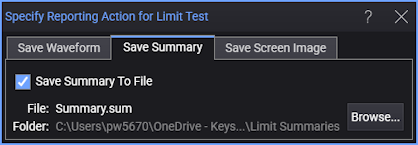
- Save Summary To File — Saves a limit test data report after each test fails or is completed.
- Browse... — Opens a dialog box where you can specify the name of the file to which summaries are saved.