Viewing the Phase Noise Analysis Acquisition Settings
To view the phase noise analysis acquisition settings:
-
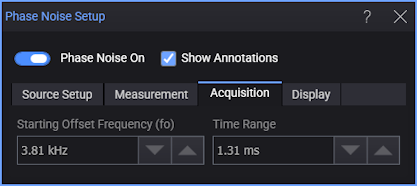
In the Phase Noise Setup dialog box, select the Acquisition tab.
-
The Starting Offset Frequency (fo) field shows the value used in the analysis.
-
The Time Range field shows the value used in the analysis.
These values are determined by the sample rate and memory depth settings.