MATLAB Measurements Scripts
To run a MATLAB based user measurement, you must create a simple XML configuration file identifies your measurement script. In addition to calling the script, the XML file populates the User Measurement Setup dialog box.
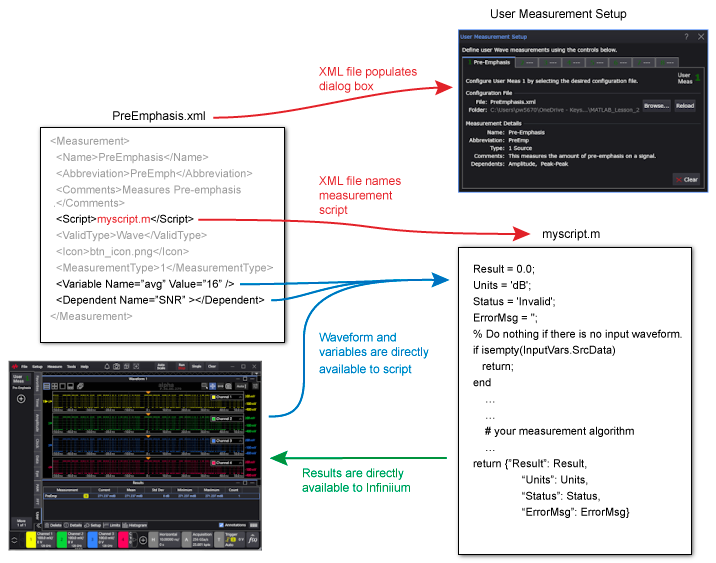
When a user measurement is run, Infiniium performs the following tasks for each data acquisition:
- Makes the waveform, the standard variables, and any custom variables available in the MATLAB workspace. The source waveform is a one-dimensional array. With a real-time eye diagram, the source database is a two-dimensional array.
- Runs any selected "dependent" Infiniium measurements in which the measurement result is used by the script. (specified in XML file).
- Executes the script.
- Retrieves the measurement result from the MATLAB workspace and displays the result in the measurement results table. A number of standard output variables are also retrieved from the MATLAB workspace.