<SourceIndex> Element
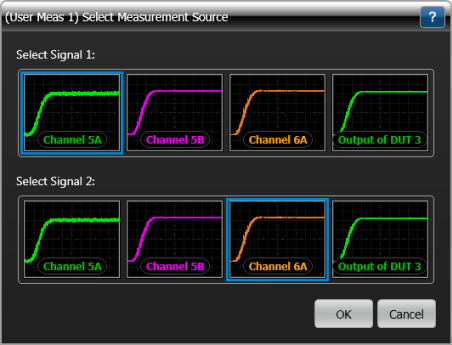
When a dependent measurement is selected for a dual-input user measurement, use the <SourceIndex> element to select Signal 1 or Signal 2 as the input to a dependent measurement. When you start the user measurement, the Select Measurement Source dialog box is displayed as shown in the following picture. In this picture, Channel 5A is selected for Signal 1 and Channel 6A is selected for Signal 2. The example at the end of this topic shows Signal 2 selected for a dependent measurement.
Parent Elements
Child Elements
None
Attributes
None
Example
- <Measurement>
- …
- <Script>My Measurement.py</Script>
- …
- <MeasurementType>2</MeasurementType>
- <Dependent Name = "+ Pulse"> <!-- + pulse width measurement. -->
- <SourceIndex>2</SourceIndex> <!-- Measure source waveform 2. -->
- </Dependent>
- <!-- As <SourceIndex> is missing, default source waveform 1 is selected. -->
- <Dependent Name = "Top"> <!-- waveform top measurement. -->
- </Dependent>
- …
- </Measurement>