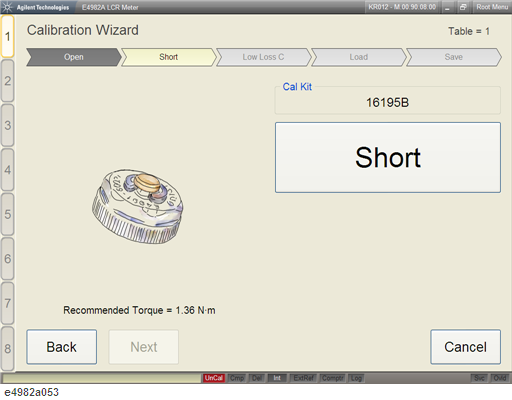
Use the following procedure to perform Short calibration using the 7-mm calibration kit using Wizard.
Press Cal Wizard to display the Calibration Wizard.
Execute Open calibration.
Remove the Open standard from the 7-mm connector of the test head installed on the test fixture stand.
Spin the knurled nut of the 7-mm connector of the test head installed on the test fixture stand to be protruded to its full extent at the top.
Place the Short standard on the 7-mm test head terminal and turn the Short standard clockwise until it is fully secured using the torque wrench.
Click Short to perform the Short calibration.
Click Back to perform Open calibration again.
Click Cancel to stop the calibration and exit the Calibration Wizard.
For more information on setting the DC resistance (Rdc) limit, please see Setting the Limit for DC Resistance (Rdc).