Waveform Mouse Control
The following picture shows the mouse control mode buttons which are located on the right side of the content window toolbar.

| Button | Description |
|---|---|

|
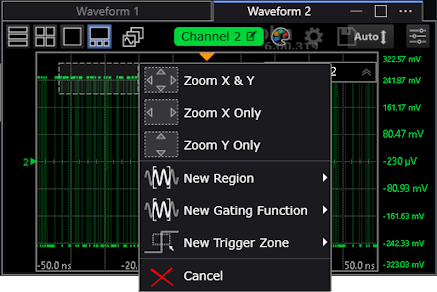
Drag over a waveform area to zoom in, set up a region, or set up a gating function (based on a region). When you release the mouse button, a context menu lets you select the action to take.
If Interactive Region Adjust is off (see Regions), you can draw boxes within a region. |

|
Move the waveform in the vertical directions. |

|
Move the waveform in the horizontal directions. |

|
Drag the pointer to draw a box. When you release the pointer, a pop up menu appears where you can select annotation options.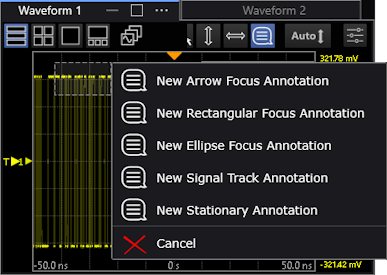 See Annotations. |

|
Performs a vertical Auto Scale of all the waveforms in the window. |

|
Displays the Configure Waveform dialog box, which provides access to regions and selections normally located in the Display Setup (Graticule tab). |