Crossing
 Crossing is the measure of the amplitude value at which two waveforms cross (intersect). The edges closest to the middle of the screen are used in the measurement. The amplitude value of the first waveform source at the crossing point is returned.
The measurement can be restricted to a region.
An annotation is placed on the display at the measured value.
Configurable Measurement Parameters
This measurement is affected by the following settings (choose Measure > Thresholds...):
- Thresholds tab
To measure
- Click the toolbar's Amplitude tab.
- If necessary, click the toolbar's More buttons to locate the Crossing button.
- Click the button.
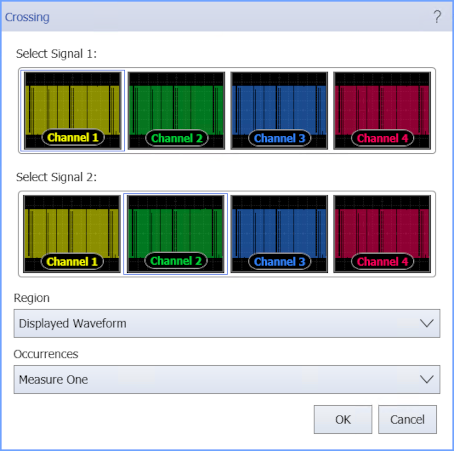
- Select the signals on which to make the measurement.
-
Select the Region in which to make the measurement:
- Displayed Waveform — is what you see in the waveform window (which can be a zoomed-in view of the complete waveform).
- Entire Waveform — specifies the complete waveform.
- Region N — If regions are enabled for the selected signal, you can select one of those regions.
If you want to make a two-source measurement (like Δt, Phase, or Crossing) within a region, global regions (which are defined for all signal sources) are required.
- Select the number of Occurrences to measure per acquisition:
- Measure One — makes one measurement per acquisition using edges closest to the timebase reference.
- Measure All — makes as many measurements per acquisition as possible using all edges in the acquisition. In this case, the measurement closest to the timebase reference is the "current" measurement (and is the one with annotations).
SCPI Command
:MEASure:VERTical:CROSsing