Maximum

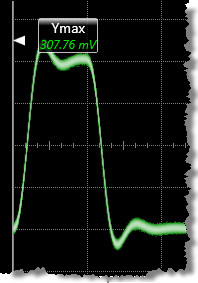 Maximum is the maximum amplitude of the waveform's displayed power or voltage.
The maximum level is taken directly from the histogram data. The measurement can be restricted to a region. A level annotation label is placed at the maximum result. The entire screen is the interval over which the measurement is made.
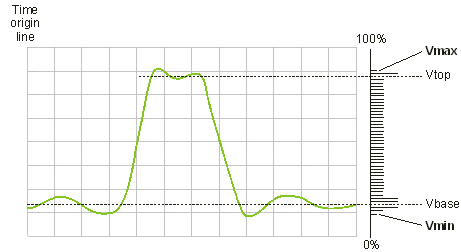
The measurement can be performed on any waveform that is displayed in a Waveform content window.
Configurable Measurement Parameters
This measurement is not affected by setting in the Configure Measurements dialog box.
To measure
- Click the toolbar's Amplitude tab.
- Click the toolbar's More buttons to locate the Maximum button.
- Click the button.
- Select the Region in which to make the measurement:
- Displayed Waveform — is what you see in the waveform window (which can be a zoomed-in view of the complete waveform).
- Entire Waveform — specifies the complete waveform.
- Region N — If regions are enabled for the selected signal, you can select one of those regions.
SCPI Command
:MEASure:VERTical:VMAXimum