Hold Time

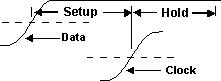 Hold time is the time from the middle threshold of the clock source to the middle threshold of the data source.
When measuring over the waveform, the Hold Time measurement is made on all the cycles of the waveform including any cycles that are not in the waveform window. When measuring in a region, the Hold Time measurement is made on all the cycles inside the region only.
This measurement makes as many measurements per acquisition as possible using all edges in the acquisition. The measurement closest to the timebase reference is the "current" measurement (and is the one with annotations).
Configurable Measurement Parameters
This measurement is affected by the following settings (choose Measure > Thresholds...):
- Thresholds tab
To measure
- Click the toolbar's Time tab.
- If necessary, click the toolbar's More buttons to locate the Hold Time button.
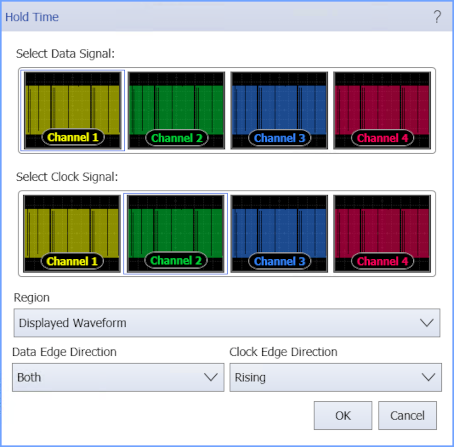
- Select the data signal and the clock signal on which to make the measurement.
- Select the Region in which to make the measurement:
- Displayed Waveform — is what you see in the waveform window (which can be a zoomed-in view of the complete waveform).
- Entire Waveform — specifies the complete waveform.
- Region N — If regions are enabled for the selected signal, you can select one of those regions.
-
Click the button and select the Data Edge Direction: Rising, Falling, or Both to specify the edges to be measured.
The Both option means both rising and falling data signal edges are included in the measurement.
-
Click the button and select the Clock Edge Direction: Rising, Falling, or Both to specify the edges to be measured.
The Both option means both rising and falling clock signal edges are considered to be clock edges.
SCPI Command
:MEASure:HORizontal:HTIMe