Time at Amplitude

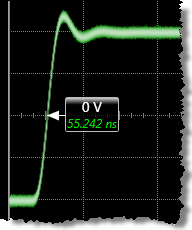 Time at Amplitude is the measure of the time at which the specified edge amplitude occurs on the displayed waveform.
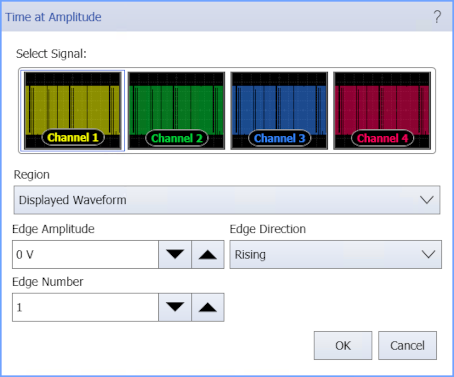
When this measurement is selected, a dialog box appears from which you select the edge number, direction, amplitude value, and if it is restricted to a region.
Configurable Measurement Parameters
This measurement is affected by the following settings (choose Measure > Thresholds...):
- Thresholds tab
To measure
- Click the button and enter the waveform edge number, amplitude, and direction at which to perform the measurement.
- Select the Region in which to make the measurement:
- Displayed Waveform — is what you see in the waveform window (which can be a zoomed-in view of the complete waveform).
- Entire Waveform — specifies the complete waveform.
- Region N — If regions are enabled for the selected signal, you can select one of those regions.
SCPI Command
:MEASure:HORizontal:TVOLt