Load Instrument Setup
Setup Files
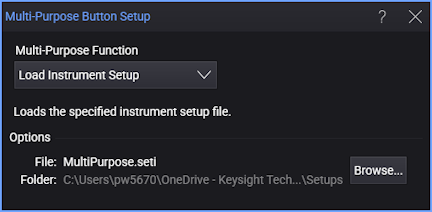
To configure the button to load and run an instrument setup file, select Load Instrument Setup as shown in this picture. Instrument setup files contain Infiniium's settings such as:
- Type of measurements currently running
- Markers (if used)
- Horizontal and vertical settings
- Trigger configuration
- Display setup
- Functions
- Fixture Deskew data (if saved at the end of the deskew procedure)
- Instrument configuration
The default instrument setup file is MultiPurpose.seti. The default folder for loading scripts is \Setups in the user folder.