PAM-N Analysis
With the PAM-N Analysis license, you can perform measurements on Pulse Amplitude Modulation (PAM) waveforms.
| PAM Waveform | PAM Real-Time Eye |
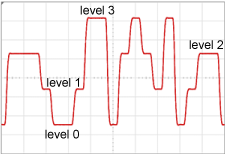
|
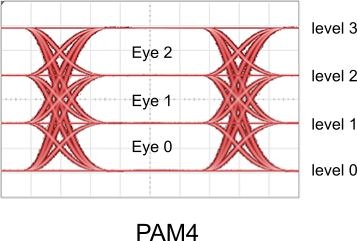
|
Features
The following table shows some of the PAM features that are available. This is a partial listing to show the main tasks that you can perform.
| Feature | Support | ||
|---|---|---|---|
| Yes | Partial | No | |
| Compatible signal types | |||
| Single-ended | ♦ | ||
| Differential | ♦ | ||
| Common mode | ♦ | ||
| Measurements | |||
| Dedicated PAM measurements (also measures NRZ signals) |
♦ | ||
| Measurements on Time tab | ♦ | ||
| Measurements on Amplitude tab | ♦ | ||
| Measurements on Eye tab | ♦ | ||
| Mask testing | ♦ | ||
| Simulated waveforms | ♦ | ||
| Functions | ♦ | ||
Autoscale and Signal-Type Detection
When an autoscale is performed, Infiniium automatically identifies the signal type of all displayed channel, common mode, differential mode, and function waveforms. Signal types can be unspecified, NRZ, PAM3, or PAM4. In certain situations, a PAM waveform may not be able to be automatically identified. For example, this can happen when the waveform's eye is nearly closed. If this happens, open the Signal Types Tab of the PAM-N Analysis Setup dialog box and manually specify PAM4. These settings are linked to the settings in the local dialog boxes.
The source type of waveform memories and eye memories is not autodetected, but can be manually set. If you save a waveform or color-grade gray-scale waveform to a file, the signal type is noted within the file: unspecified, NRZ, PAM3, or PAM4. If the file is then loaded into waveform or color-grade gray-scale memory the signal type setting is loaded along with the data. Of course, you can always manually set the signal type in the Signal Types Tab of the PAM-N Analysis Setup dialog box.
For simulated instruments, you can configure the simulated source waveform to be PAM or NRZ (see Simulated Source Settings).