Jitter & Noise Settings
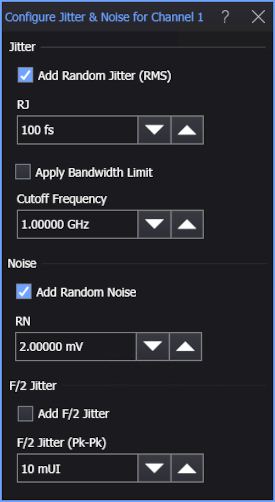
Use the Configure Jitter & Noise dialog box to add random jitter, random noise, and F/2 (Pk-Pk) jitter to a simulated waveform.
The Apply Bandwidth Limit and Cutoff Frequency options let you control the bandwidth of the random jitter applied to the signal. Bandlimiting by itself reduces the amount of jitter, so compensation is performed to achieve the specified amount of random jitter.
If the simulated waveform is defined to be electrical differential, the amount of applied Resultant Differential RJ (RMS) and Resultant Differential RN is listed.
When applying F/2 Jitter (Pk-Pk), select an even pattern length for the simulated signal. For example, select PRBS-7 (128 UIs). Otherwise, the F/2 jitter measurement will not work.
Random jitter and noise can be applied to data, clock, and function simulated waveform types.