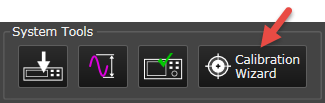
Opens the Calibration Wizard Setup window where you can begin configuring both single-point and multi-point system calibrations.
The Calibration Wizard button is enabled when the configured system hardware is connected and the acquisition is paused or stopped.

Upon startup, you must first download or play then pause/stop to enable the Calibration Wizard button.
Single-point calibration optimizes the signal at a specified center frequency, amplitude, and analyzer input range. You can perform a single-point calibration in a single Calibration Wizard session, but hardware connections need to change between analyzer and source calibrations.
In most cases, you will want to calibrate a variety of points to optimize for dynamic range or other conditions. The Signal Optimizer provides multi-point calibration (or batch calibration) capability for this purpose. When performing batch calibrations, analyzer hardware and source hardware are calibrated separately because the hardware connections are different for each calibration.
The Calibration Wizard will perform one of three types of calibration, depending on your selection in the Calibration Wizard Setup dialog:
Refer to the Single-Point and Multi-Point Calibration Tutorial for a step-by-step example of how to use the Calibration Wizard and apply corrections using all three calibration types.