Shortcut and Flyout Menus and Keyboard Shortcuts
This topic describes the available shortcut menus.
Right Click on Graticule Area
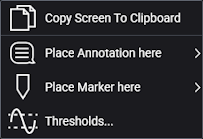
Use this shortcut menu to:
- Copy the screen to the clipboard. After choosing Copy Screen To Clipboard, you can then paste (Ctrl-V) the image into an external application such as a document file.
- Place an annotation. See Annotations.
- Place a marker. See Markers.
- Open the Thresholds tab in the Configure Measurements dialog box. See Thresholds.
Right Click on Measurement Results Panel
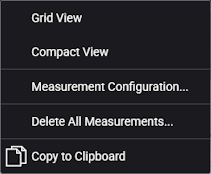
Use this shortcut menu to:
-
 Toggle between the grid view and the compact view. The button in the lower-right corner of the Results window does the same thing.
 - Open the Configure Measurements dialog box.
- Open a confirmation dialog box to delete all measurements.
-
 Click the Copy to Clipboard icon to move tabular measurement results to the Clipboard. You can then paste (Ctrl-V) the data into an external application such as a spreadsheet.
Right Click on Menu Bar
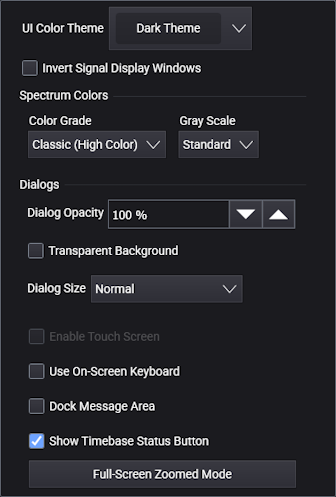
Use this shortcut menu to quickly change the settings that are normally accessed on the Appearance tab of the Display Setup (Appearance tab) dialog box.